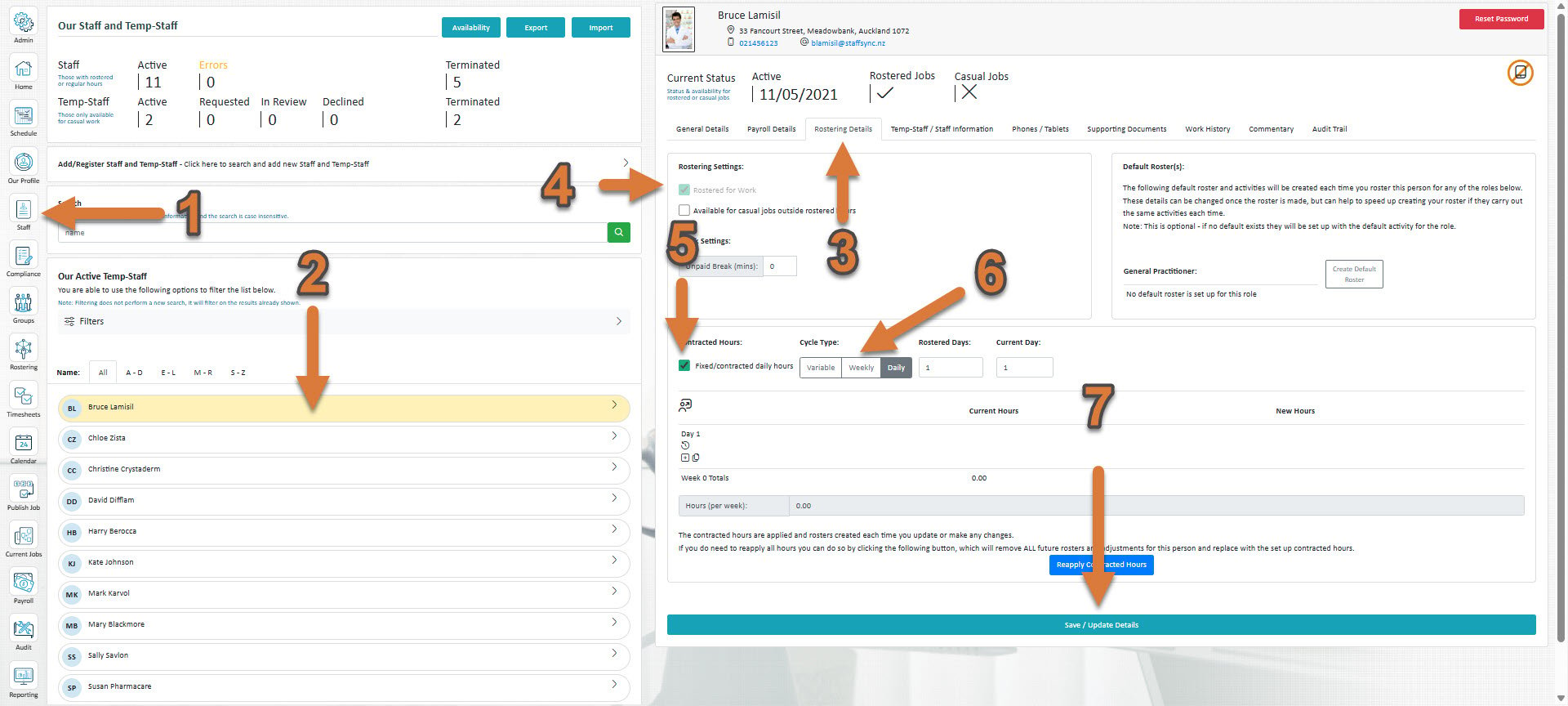
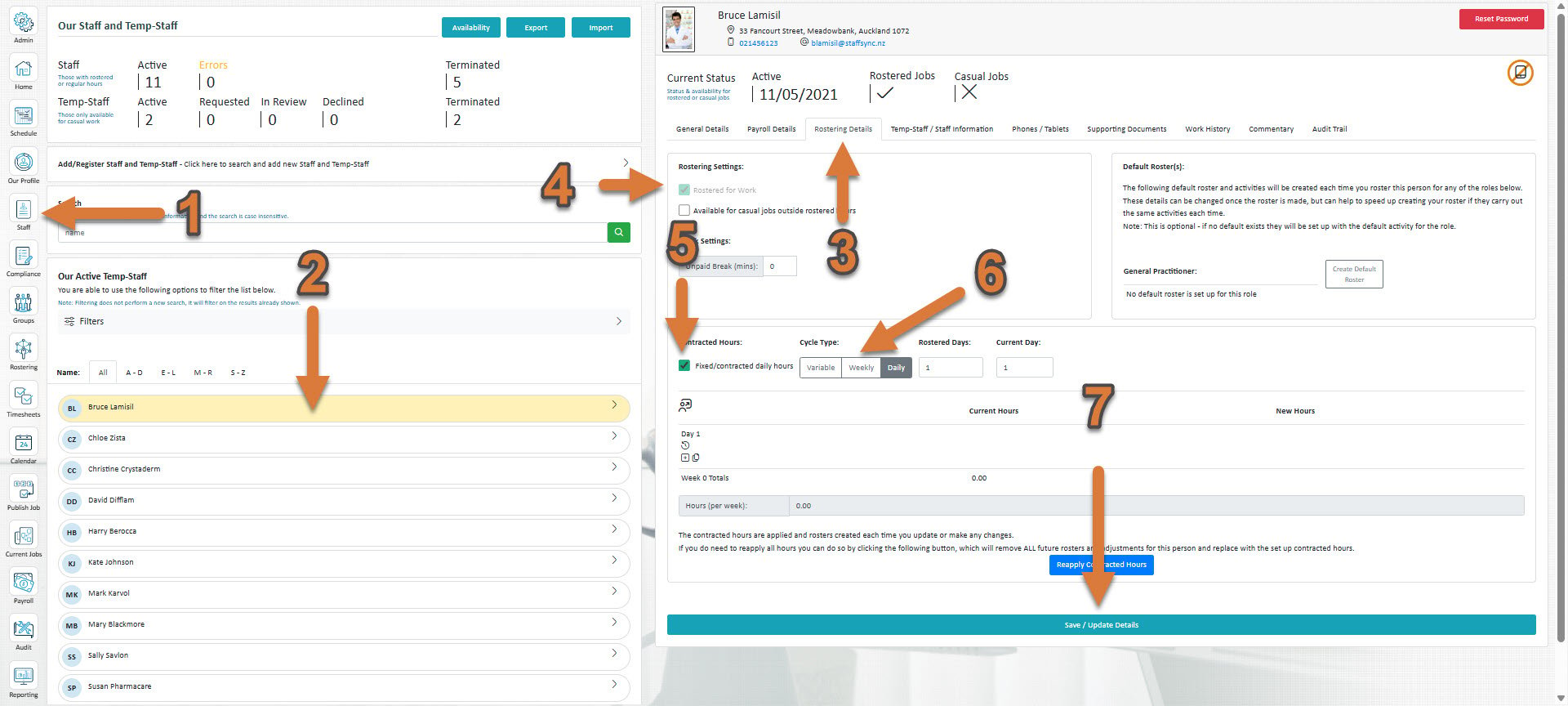
Click Staff (If you cannot see the ‘Staff’ button, then you will need to ask your store administrator to grant you access)
Select the staff member you’d like to set up new contracted hours for
Select Rostering Details
If if hasn’t already been ticked, tick Rostered for work
Tick Fixed/contracted daily hours
Click Variable.
Press Save / Update Details
Press Schedule to customise the staff member’s schedule.
Under A, you can see a selector for the different amount of weeks you’d like for there to be available to add to the variable schedule. For example, if I wanted a schedule where weekly hours template 1 ran for one week, then template 2 ran the next week, then 3 the week after, then I would need to select 3 available weeks, as there are 3 different templates (1, 2, 3).Under B is where you select which weekly hours template is used for each week. If I wanted to create the earlier example, with weeks 1, 2, 3, then I would select the week that I’d like that template to apply (A), then select that template on the right (B).After pressing Save / Update Details
You can now see the amount of avaliable week templates that you’ve selected now appearing as tabs at the top. Click on one to edit it.
Press the small plus button to add hours to a particular day
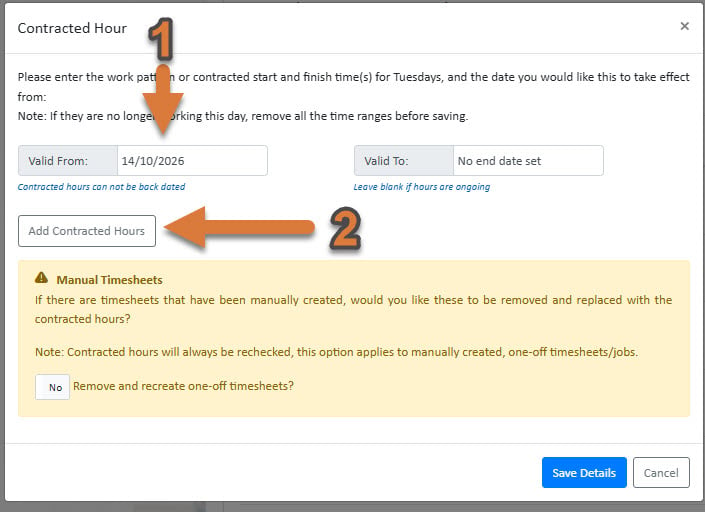
Select a date that you’d like the contracted hours to start from
Press Add Contracted Hours to add contracted hours
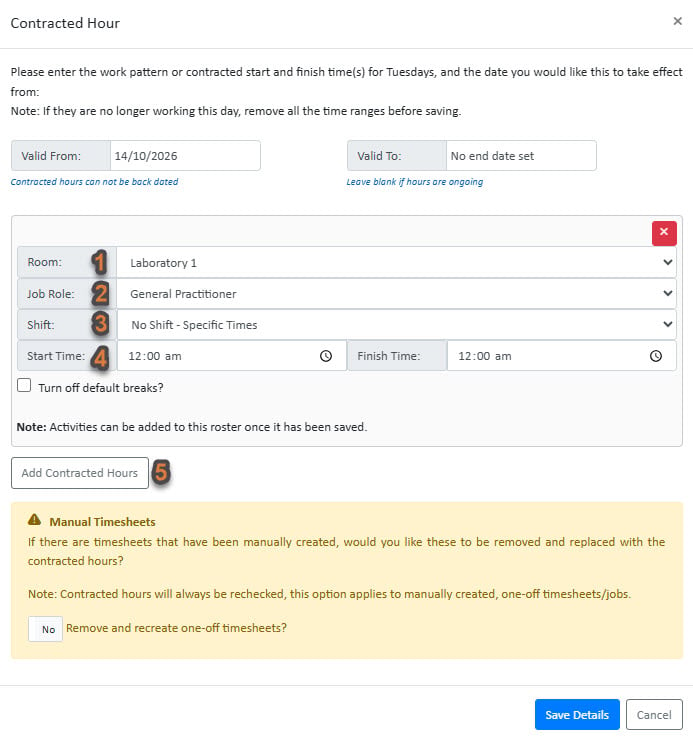
Select the Department
Select the Job Role
Select the Shift
Select the Start Times
If you wish to set up multiple shifts, you can add one here
Press Save Details
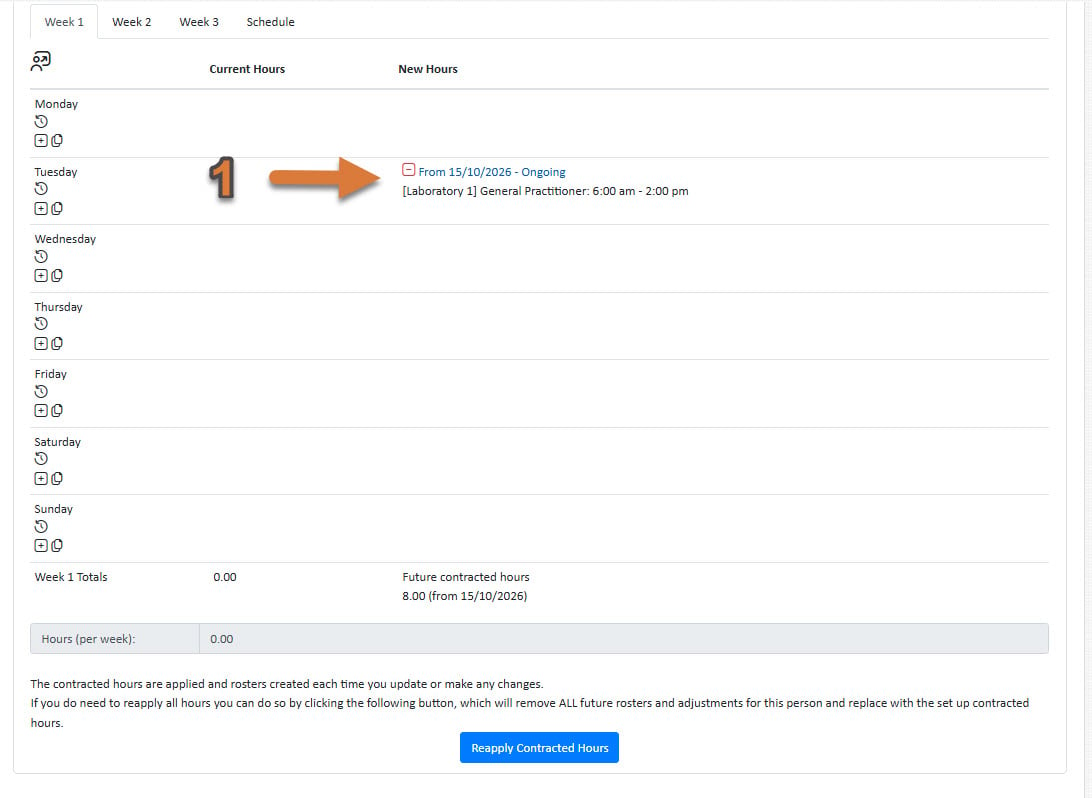
You will now see the contracted hours saved to your week 1 template. Whereever you place the week 1 template in the schedule, these hours will be used
Note that Variable contracted hours are not self repeating like weekly or daily contracted hours. You will need to set up schedules yourself.
Was this page helpful?
Assistant
Responses are generated using AI and may contain mistakes.

.png?fit=max&auto=format&n=fTXEPIUfjW4rC1Pi&q=85&s=85d7b852879d29ad2bde9b743307ab0e)