
.png?fit=max&auto=format&n=fTXEPIUfjW4rC1Pi&q=85&s=85d7b852879d29ad2bde9b743307ab0e)
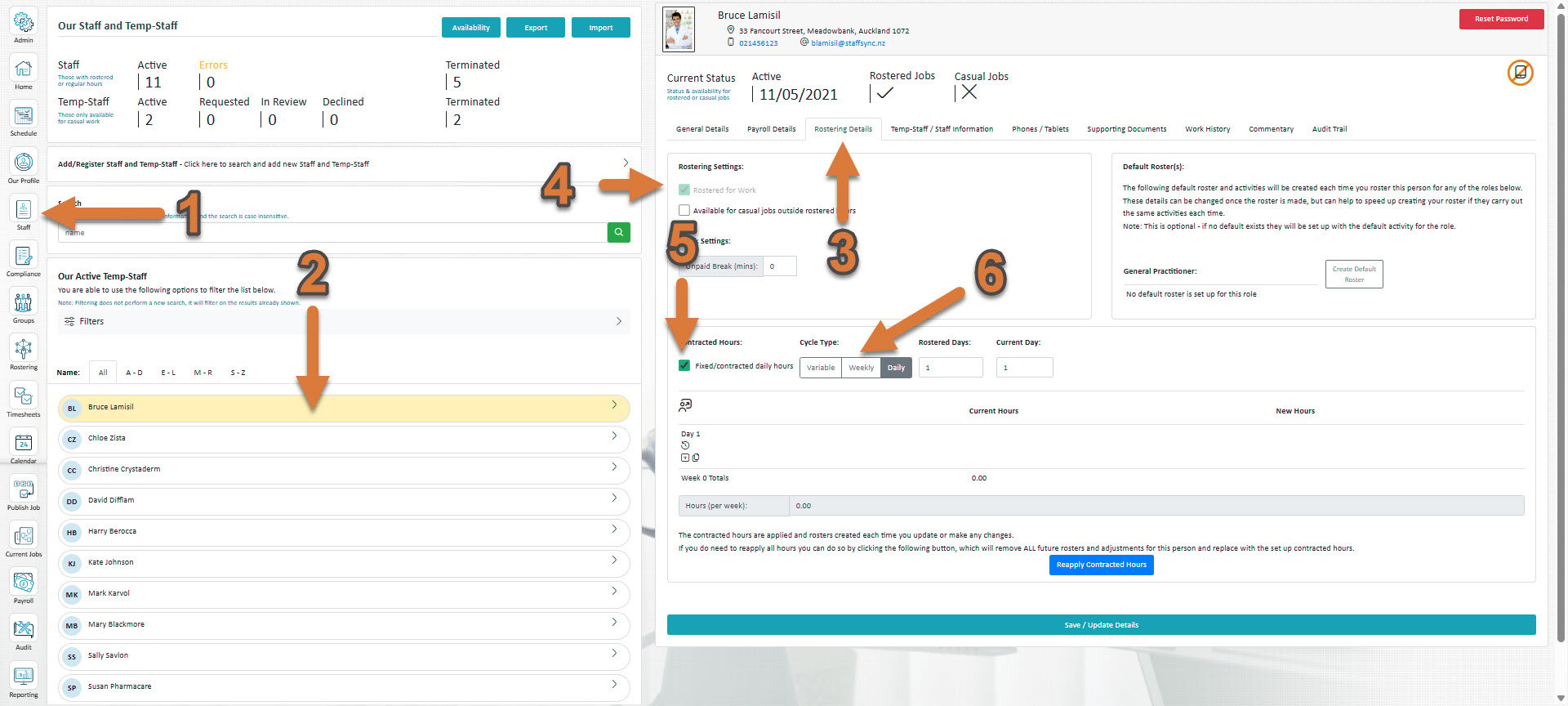
- Click Staff (If you cannot see the ‘Staff’ button, then you will need to ask your store administrator to grant you access)
- Select the staff member you’d like to set up new contracted hours for
- Select Rostering Details
- If if hasn’t already been ticked, tick Rostered for work
- Tick Fixed/contracted daily hours
- You then need to choose a cycle type.
- How to set up variable contracted hours
- How to set up weekly contracted hours
- How to set up daily contracted hours