
.png?fit=max&auto=format&n=fTXEPIUfjW4rC1Pi&q=85&s=85d7b852879d29ad2bde9b743307ab0e)
Overview
Secondary schools often operate with different scheduling and pay structures compared to primary and intermediate schools. Instead of a standard full-day rate, relievers are usually paid per period. To better support this, there is now an option to select multiple periods for a single job posting. The new multiple-shift selection feature removes uncertainty about when relievers are expected to work and makes payroll hours clearer. It creates better alignment between schools and relievers, particularly in complex scheduling situations. To use this feature, contact your BDM or StaffSync Customer Support to turn on “Periods” and set up the individual periods (with start, finish, and payroll hours).Publishing Jobs with Periods
In the Job Publishing Wizard, schools with configurable periods will see a third Time option called “Periods”.- Under the Notice Details tab, select “Periods”
- Time: Choose a shift from the dropdown (normally only one).
- Periods: Select the periods to include (choose as many as needed).
- From/To times: The system automatically sets the job duration from the first selected period’s start to the last selected period’s finish. (Example: If Period 2 (9:30 am – 10:30 am) and Period 4 (11:15 am – 12:30 pm) are chosen, the displayed time will be 9:30 am – 12:30 pm.)
- Start/Finish times update automatically but can be overridden if a reliever should arrive earlier.
- Times must still cover all selected periods. For example, if the first period starts at 8:15 am, the job cannot start at 8:30 am.
- Overlapping periods cannot be saved.
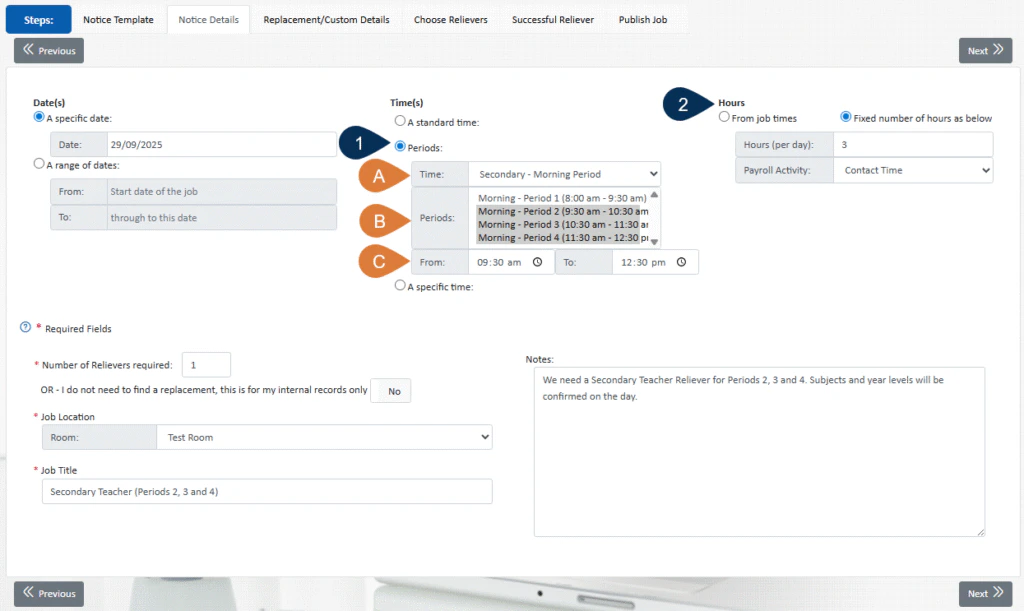
- Hours (per day) update automatically, based on the payroll hours of the selected periods.
- If fixed payroll hours are enabled, this value can still be overridden.
- Useful for agreements where extra pay is given if there’s a large gap between periods.
- The rest of the publishing process is unchanged.
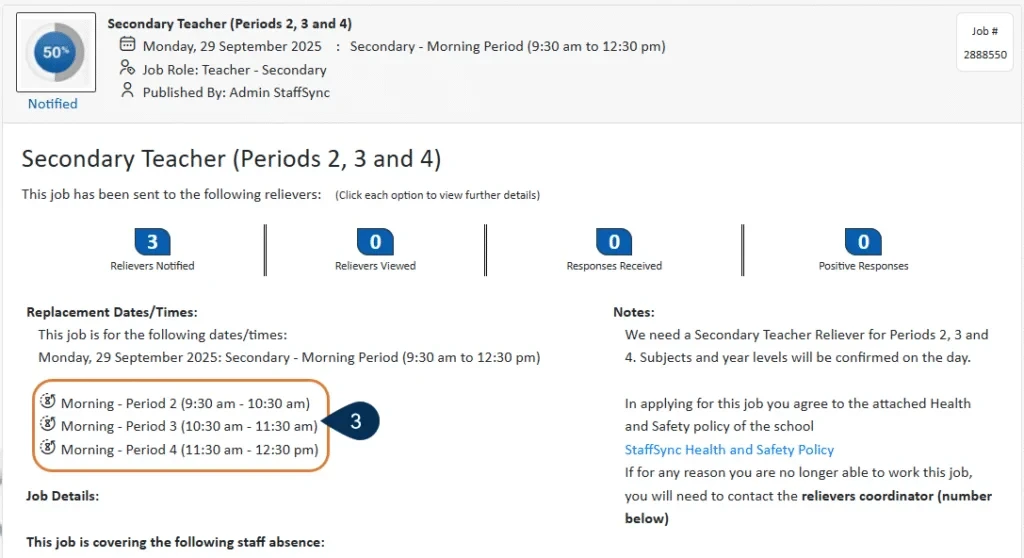
- Job notifications will now show a clear breakdown of the selected periods.
- All job details on the organisation side will display this information as well.
Enhancements in Timesheets and Schedule
Timesheets: The layout now shows periods instead of activities, making it easier to understand which periods were worked.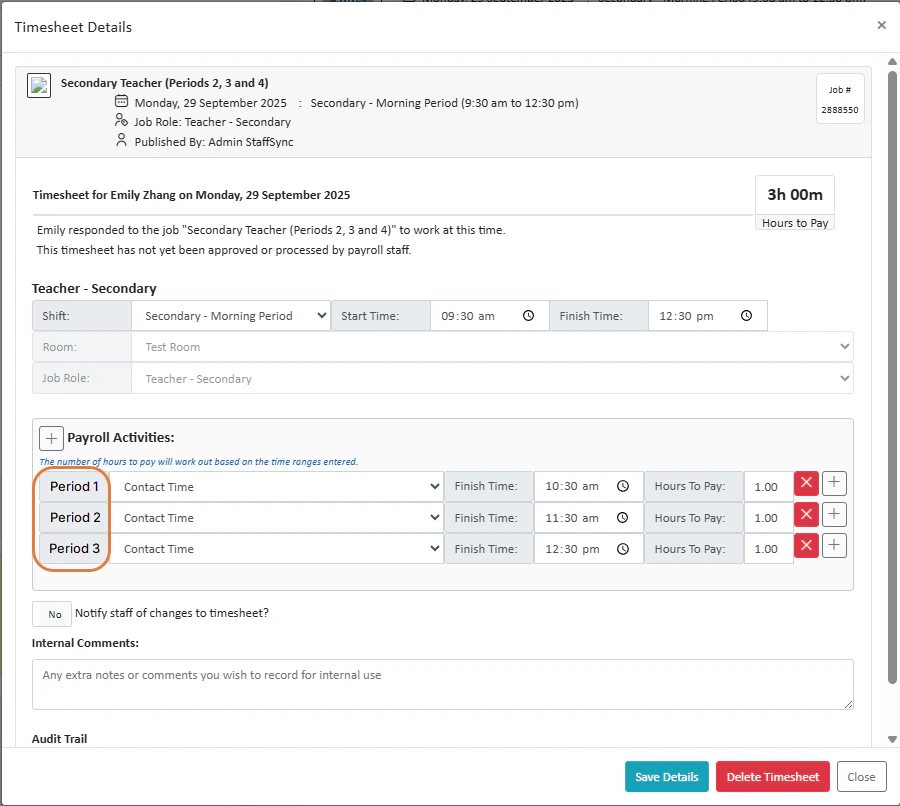
.png?fit=max&auto=format&n=oc4j09IEmP-sGlP-&q=85&s=9b1505514d7a3b79e2a4737579402791)