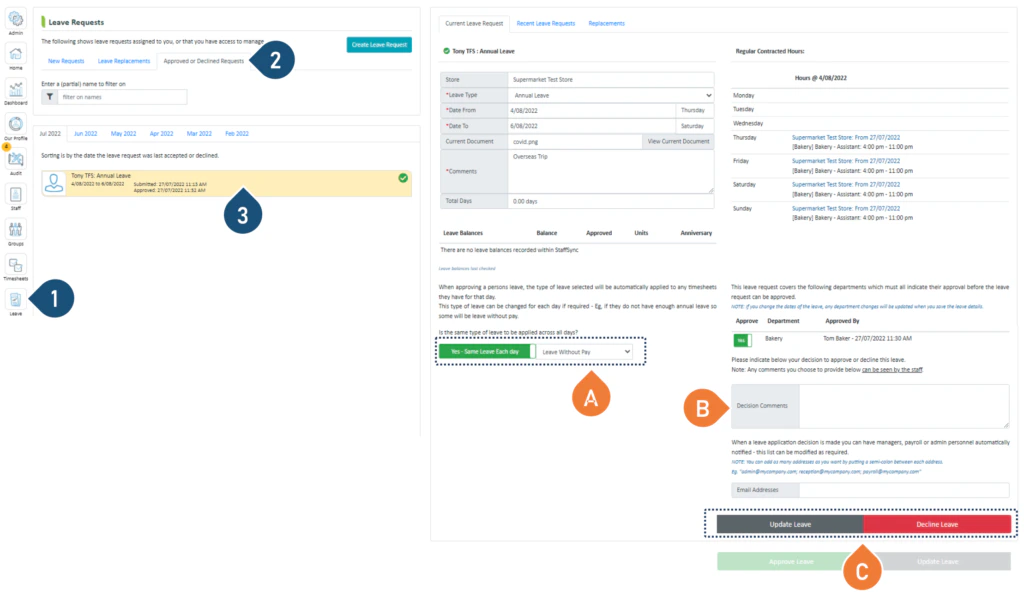
You can make the following changes:A. Click here to change the type of leave you are approving.B. Add or change decision comments.C. Select Update Leave or Approve or Decline to change your decision.
Was this page helpful?
Assistant
Responses are generated using AI and may contain mistakes.

.png?fit=max&auto=format&n=fTXEPIUfjW4rC1Pi&q=85&s=85d7b852879d29ad2bde9b743307ab0e)