
.png?fit=max&auto=format&n=fTXEPIUfjW4rC1Pi&q=85&s=85d7b852879d29ad2bde9b743307ab0e)
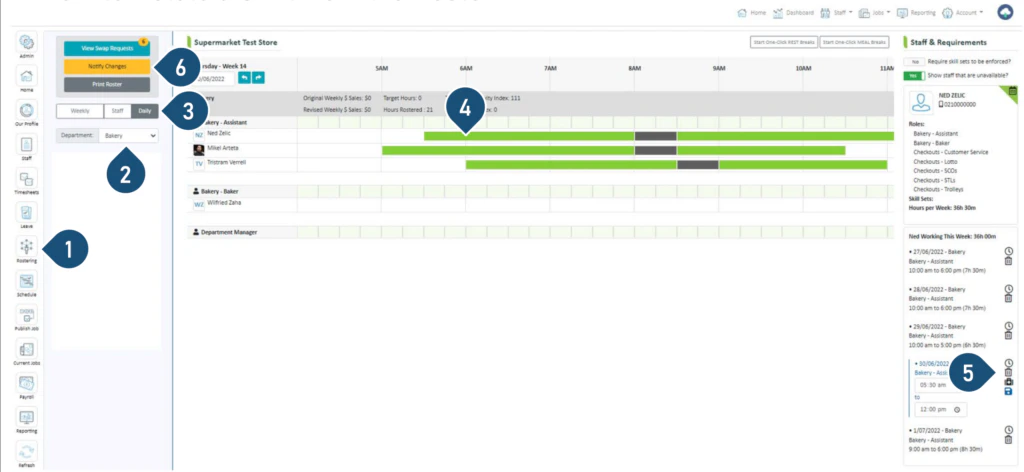
- Select the Rostering button.
- Select the Department.
- Select the Daily view.
- Click on the shift you wish to delete.
- Click on the bin icon to delete the shift.
- Click on Notify Changes – StaffSync will notify the staff who have changes via push notifications on their phones.