.png?fit=max&auto=format&n=fTXEPIUfjW4rC1Pi&q=85&s=85d7b852879d29ad2bde9b743307ab0e)
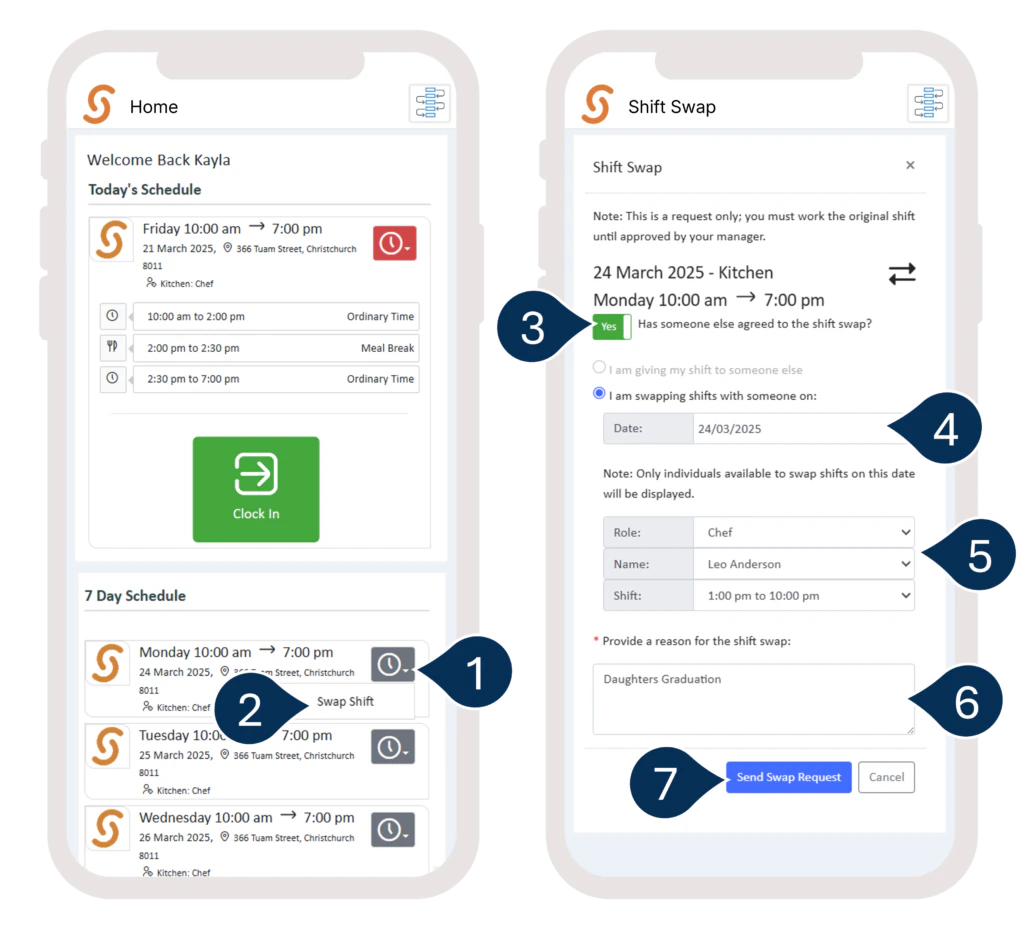
- Locate your shift on your Home Screen or in your Calendar.
- Select the grey clock icon next to your shift.
- Select Swap Shift.
- Switch the toggle to YES if you have consent from the staff member you want to swap with.
- Choose the name of the staff member, date, and shift.
- Provide a reason for the swap.
- Select Send Swap Request.