.png?fit=max&auto=format&n=fTXEPIUfjW4rC1Pi&q=85&s=85d7b852879d29ad2bde9b743307ab0e)

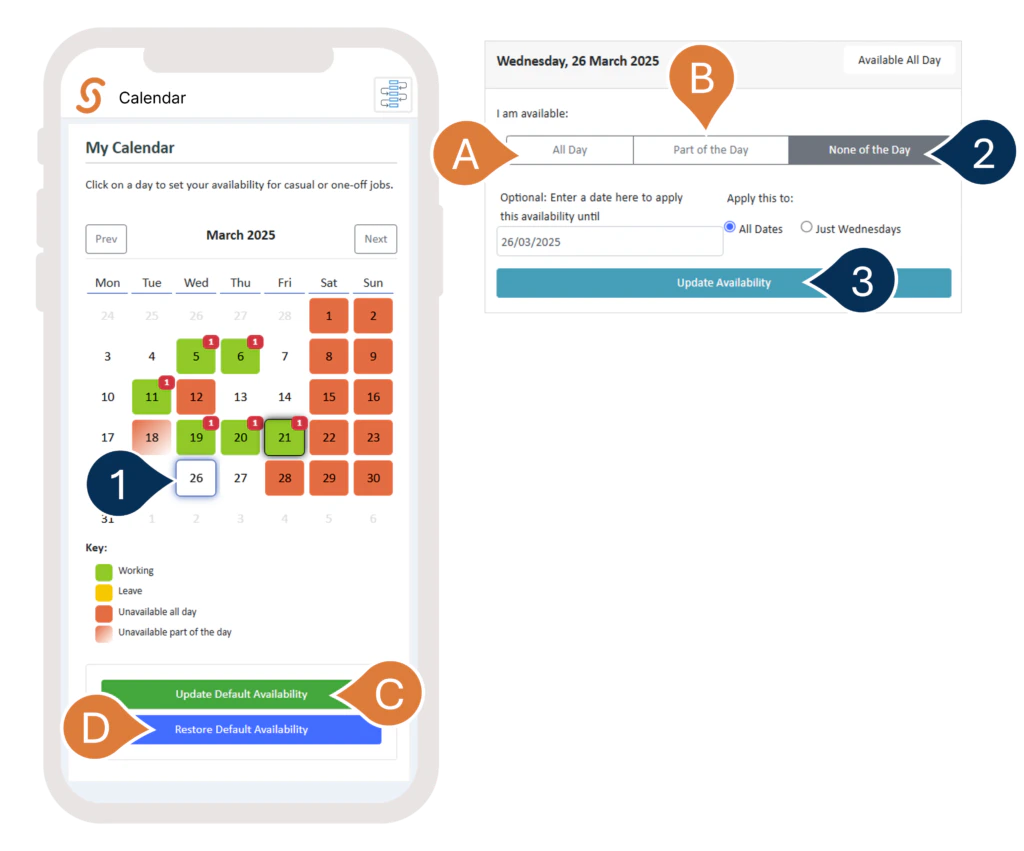
- Choose the date you want to mark.
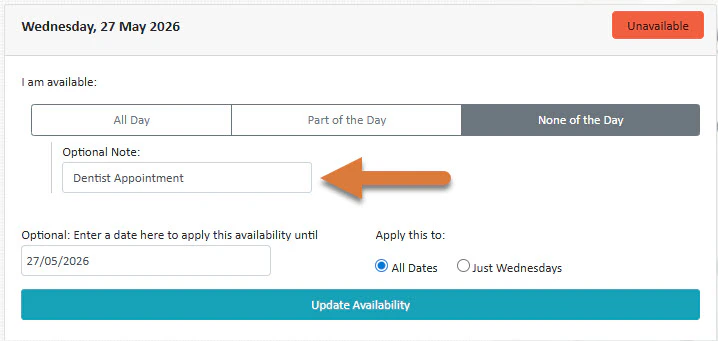
- Select None of the Day to mark yourself as unavailable.
A. If you’ve already marked yourself as unavailable before, you can select Available to change your status back.
B. You can also choose to be available for just part of the day. - Select Update Availability to save your changes.
C. To set a default availability for specific days of the week (e.g., always unavailable or always available on certain days), choose the option for that.
D. To clear any one-off markings and reset your calendar to its default availability, click this option.