
.png?fit=max&auto=format&n=fTXEPIUfjW4rC1Pi&q=85&s=85d7b852879d29ad2bde9b743307ab0e)
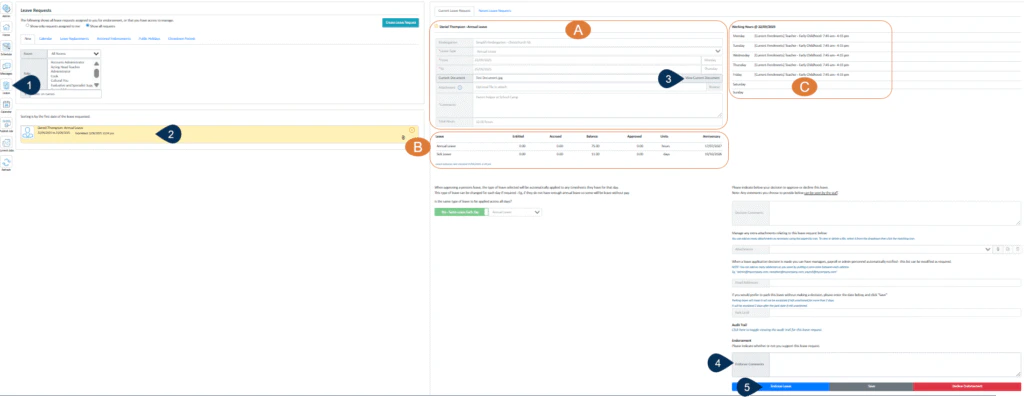
- Select the Leave button.
- Select the leave request to be viewed.
- Click here to view any documents attached.
- You may enter an Endorser comment here – this will be visible to the person approving leave.
- Click on Endorse Leave or Decline Endorsement to record your decision or select save to capture any changes you have made.