
.png?fit=max&auto=format&n=fTXEPIUfjW4rC1Pi&q=85&s=85d7b852879d29ad2bde9b743307ab0e)
Overview
The Match Clock In/Out Times settings allow you to control how timesheet start and end times are recorded for staff in a department. When enabled, instead of a timesheet showing the times a staff member was rostered for, it will instead show the times they actually clocked in and out. You can choose to apply this to the start time, the end time, or both.How to turn it on
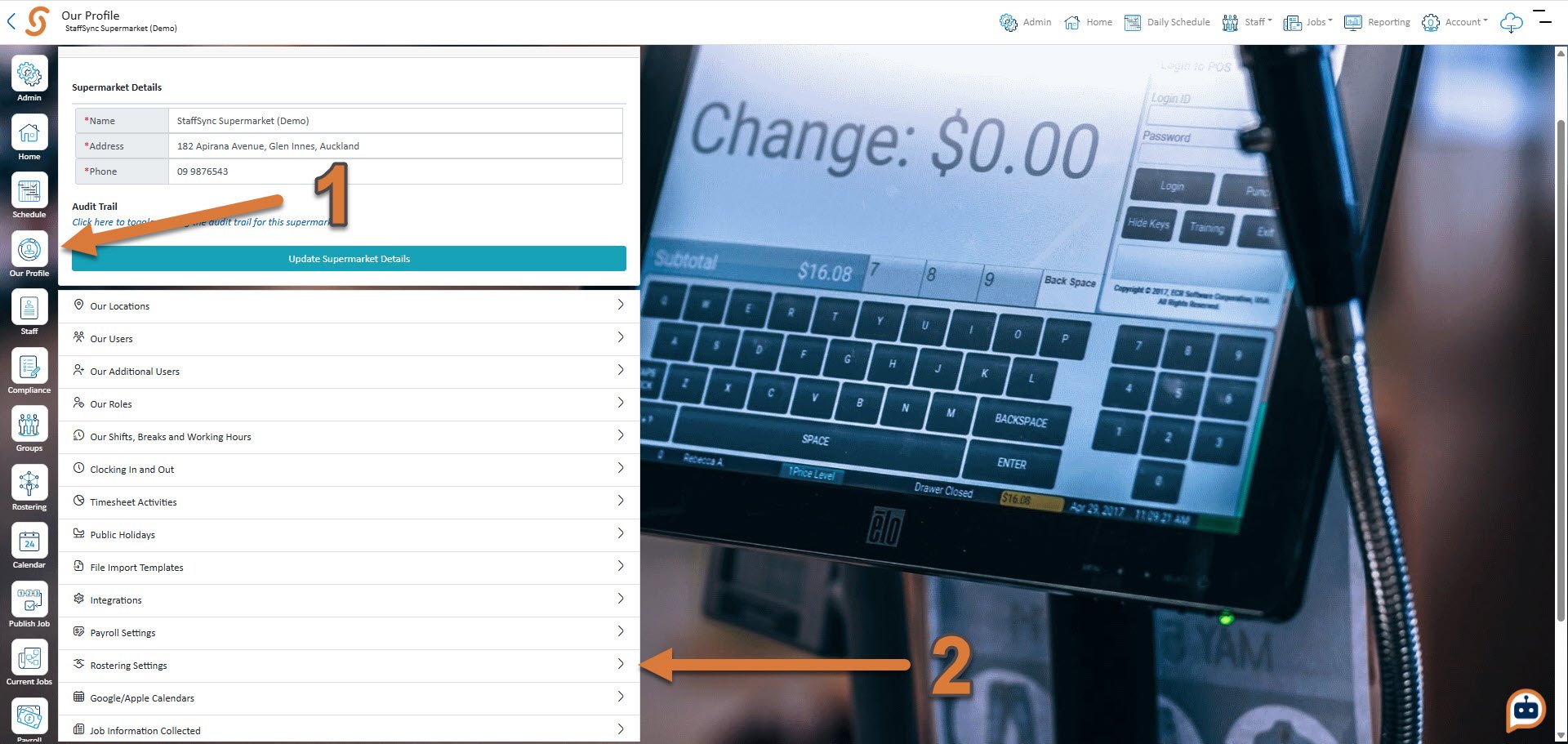
- Click Our Profile
- Click Rostering Settings
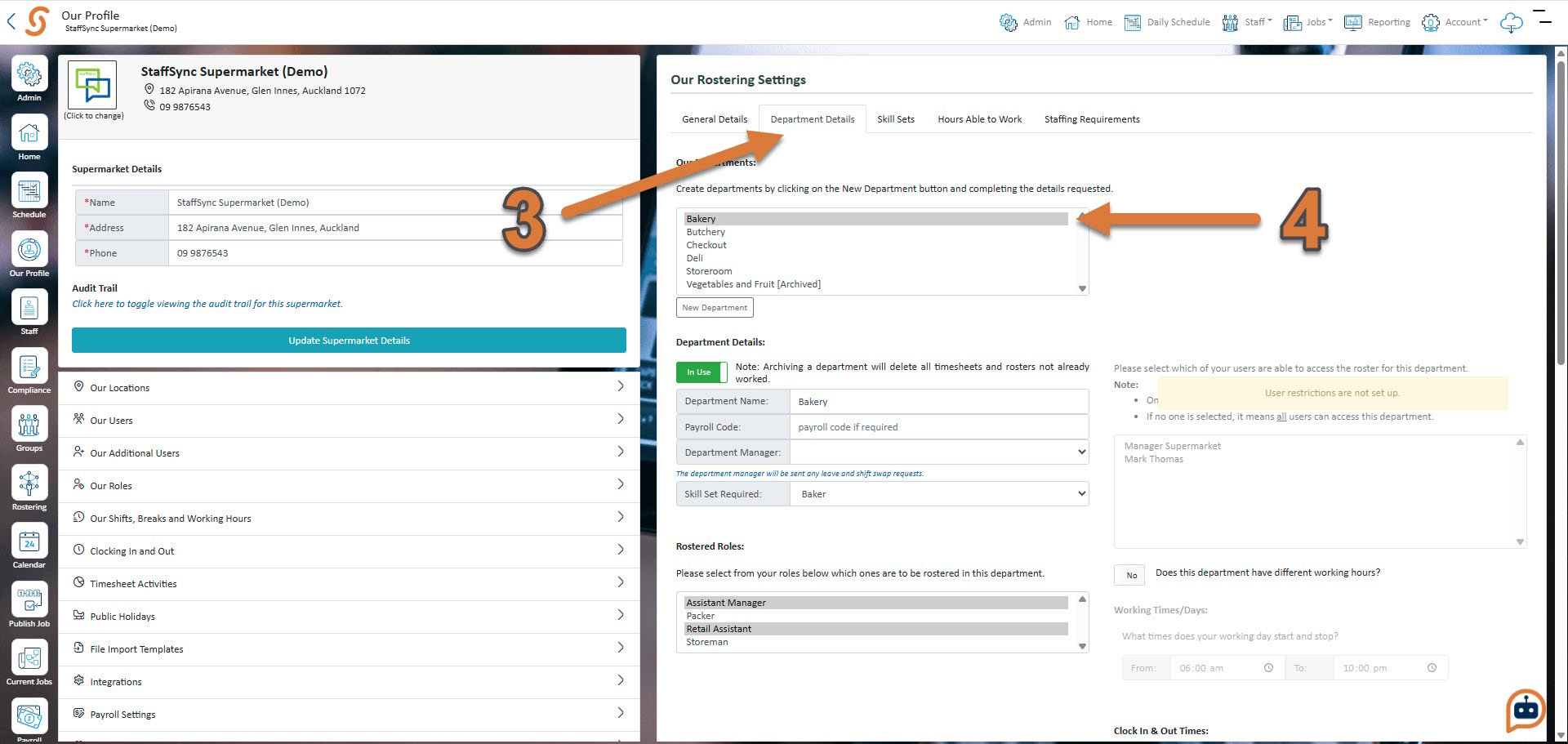
- Click Department Details
- Press the department that you’d like to turn the match clock-in function on for
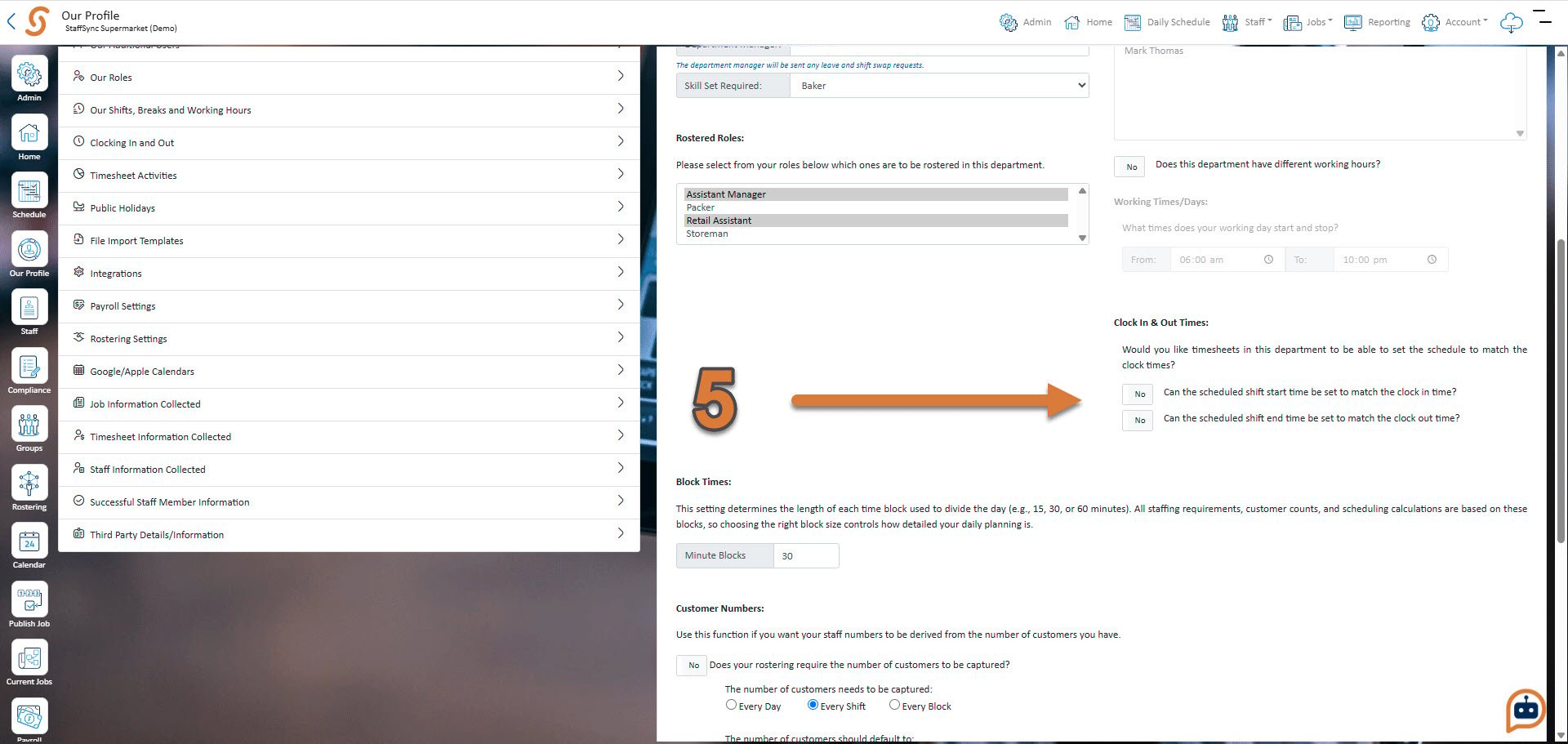
- Scroll down and turn on the match clock-in function for the clock in or clock out time as appropriate