
.png?fit=max&auto=format&n=fTXEPIUfjW4rC1Pi&q=85&s=85d7b852879d29ad2bde9b743307ab0e)
1
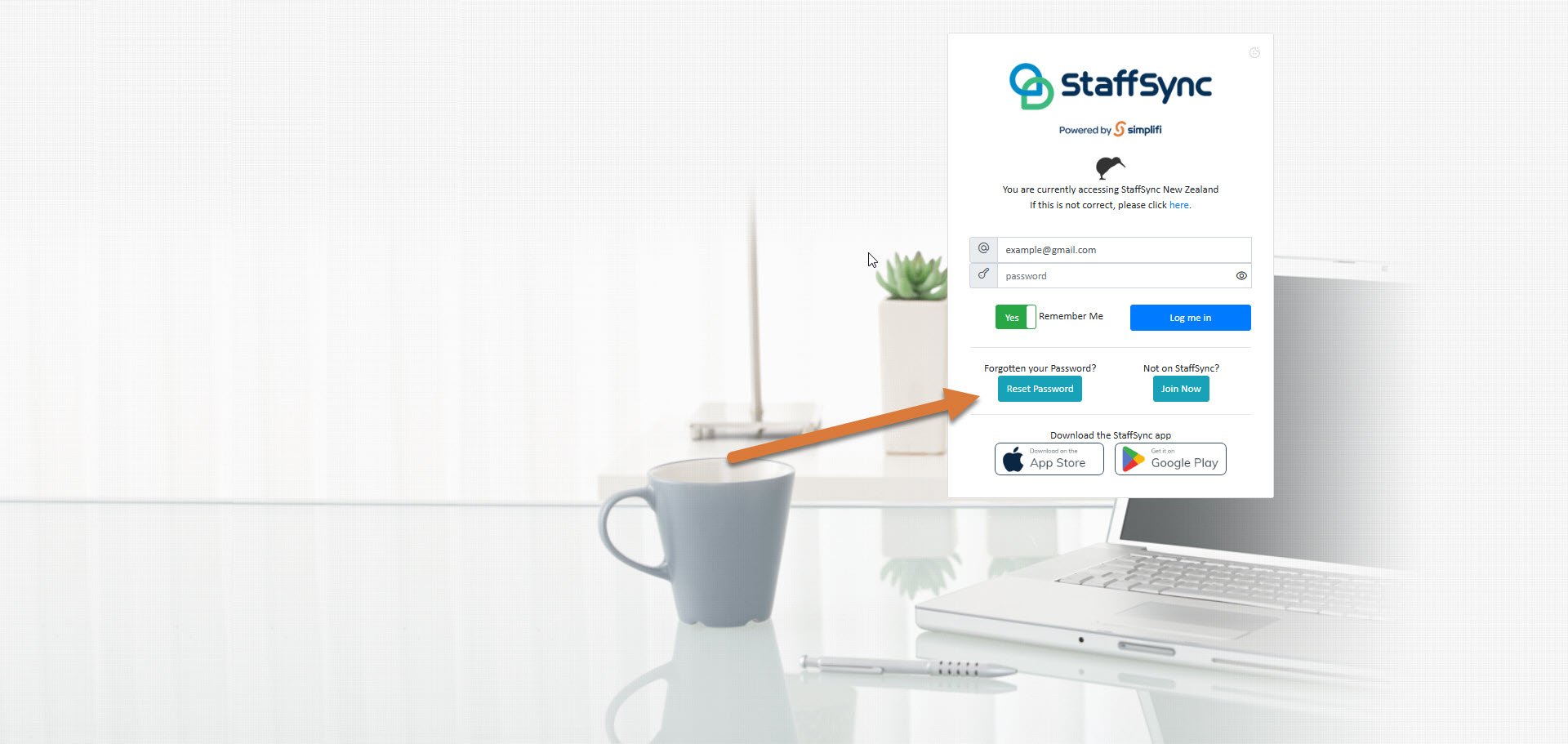
Press Reset Password
2
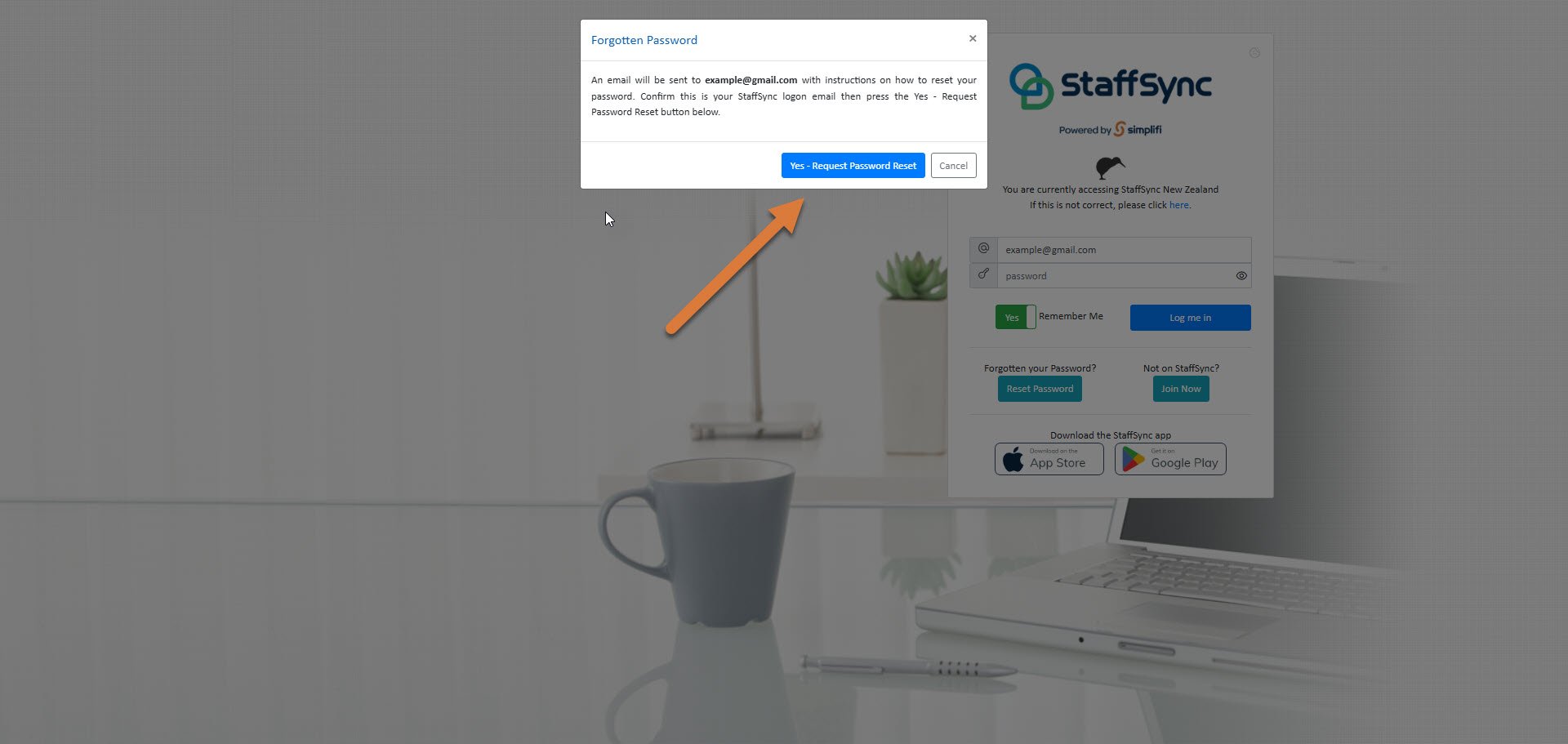
Confirm this is your StaffSync email, and then press Yes
3
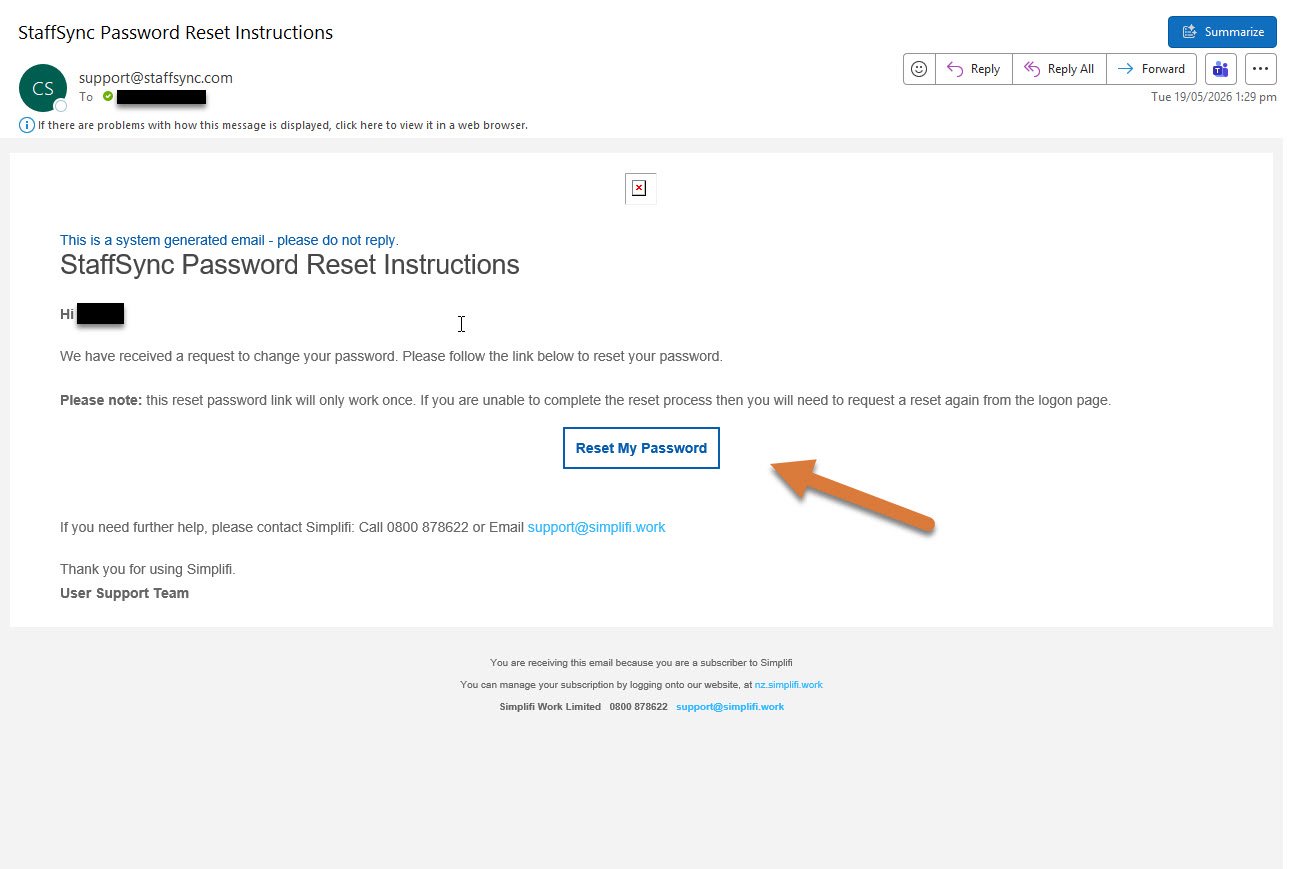
You will recieve an email from StaffSync. Open the email, and press Reset My Password
4
Enter in a new password, then press update my password

5
Login with your new password