.png?fit=max&auto=format&n=fTXEPIUfjW4rC1Pi&q=85&s=85d7b852879d29ad2bde9b743307ab0e)
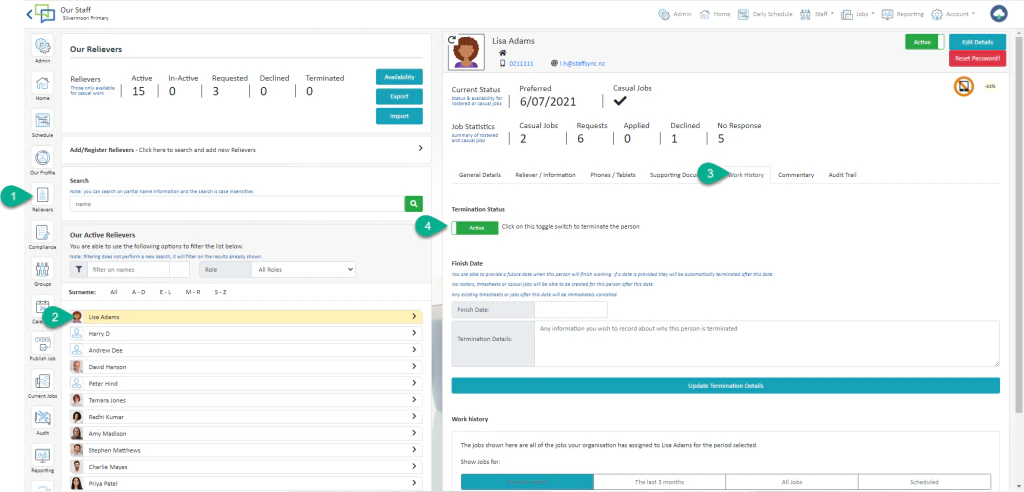
- Terminate Effective Immediately
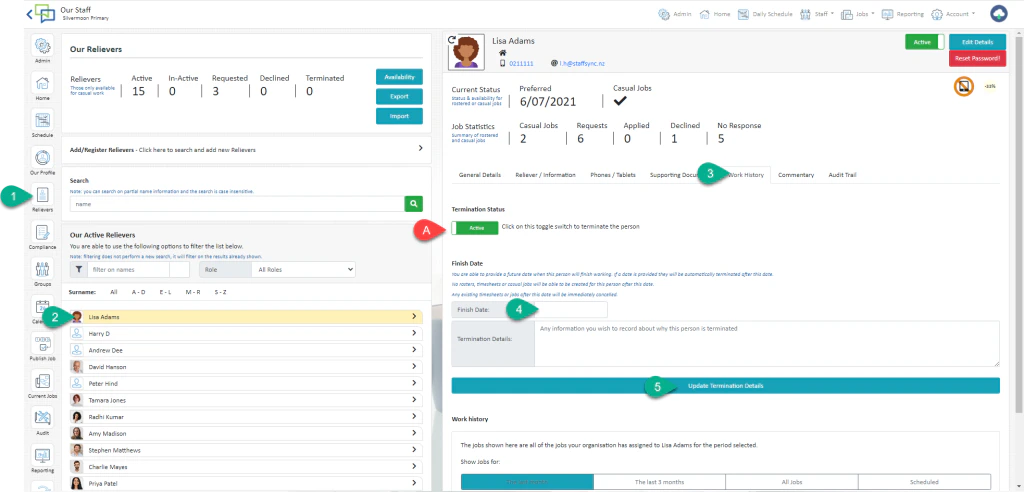
- Terminate on a Future Date
How to Terminate Effective Immediately
- Select Staff Module
- Open the Staff Profile
- Select Work History
- Change the status from Active to Terminated. This will remove them from all rosters and casual jobs starting the day after termination.
How to Terminate on a future date
- Select Staff Module
- Open the Staff Profile
- Select Work History
- Enter their last day of work
This will remove them from all rosters and casual jobs starting the day after termination. - Select Update Termination Details