.png?fit=max&auto=format&n=fTXEPIUfjW4rC1Pi&q=85&s=85d7b852879d29ad2bde9b743307ab0e)
https://apps.simplifi.work/?kiosk
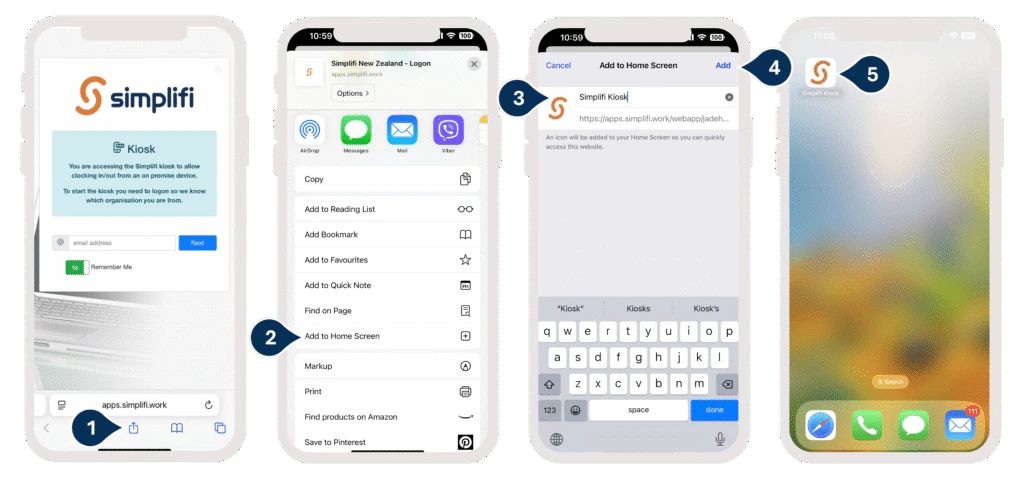
- Tap the Share icon (the square with an arrow pointing up).
- Select Add to Home Screen.
- Enter the name: Simplifi KIOSK.
- Tap Add or Done.
- You’ll now see a shortcut to the KIOSK on your Home Screen, and it will function much like an app.