
.png?fit=max&auto=format&n=fTXEPIUfjW4rC1Pi&q=85&s=85d7b852879d29ad2bde9b743307ab0e)
Overview
In payroll settings you can allow timesheets to be approved ahead of time. The default setting for payroll is that timesheets can only be approved for jobs worked up to the date of approval.For one-off approvals that may be required in advance (e.g. over the Christmas break), simply enter a future date in the “Future Approval Date” field, and you will be able to approve all timesheets up to that date.
How to:
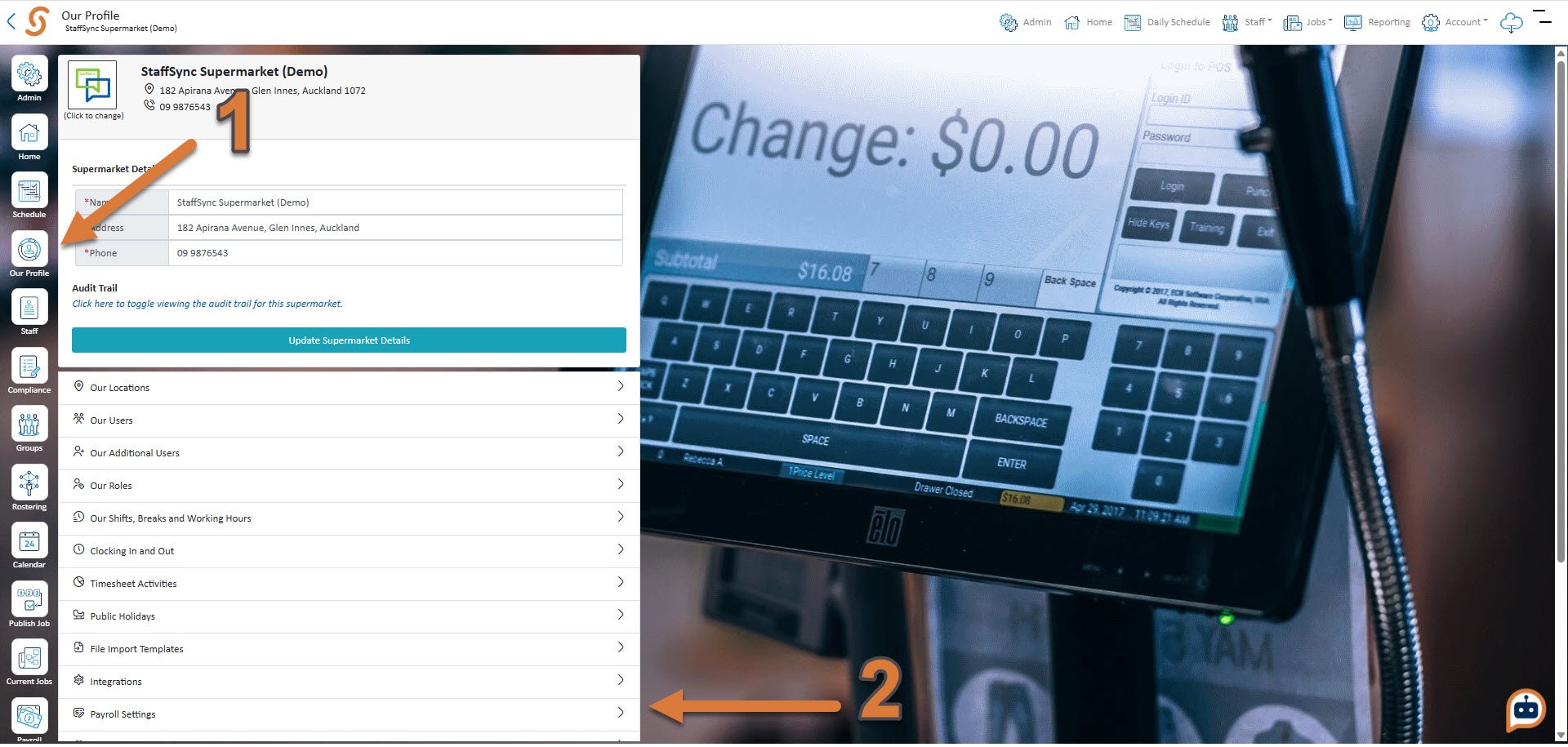
- Press Our Profile
- Press Payroll Settings
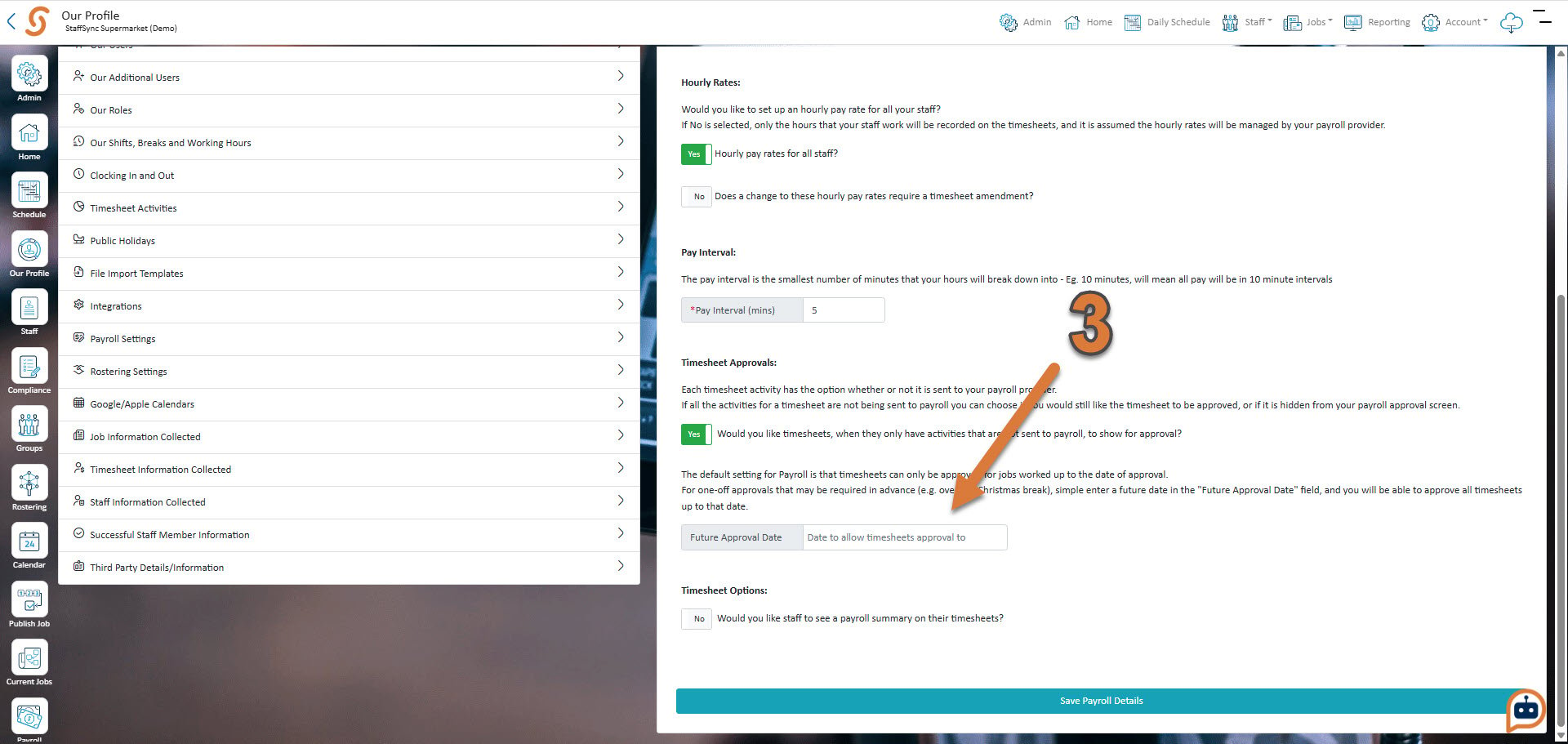
- Enter in the future approval date that you’d like