
.png?fit=max&auto=format&n=fTXEPIUfjW4rC1Pi&q=85&s=85d7b852879d29ad2bde9b743307ab0e)
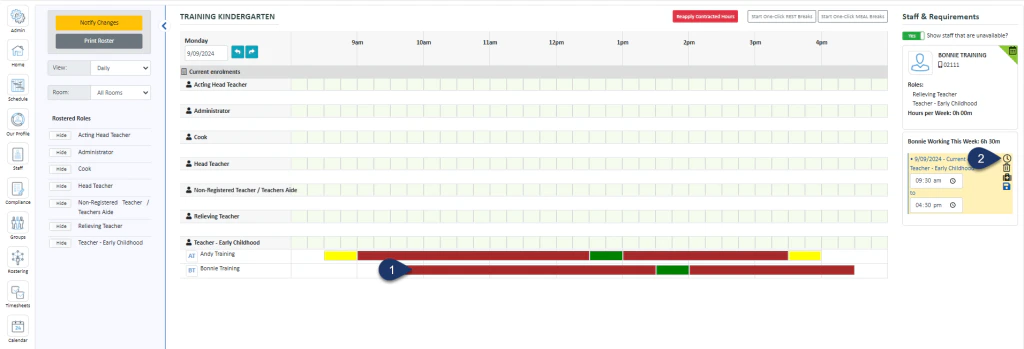
- Select the shift bar
- Select the clock icon to bring up the timesheet
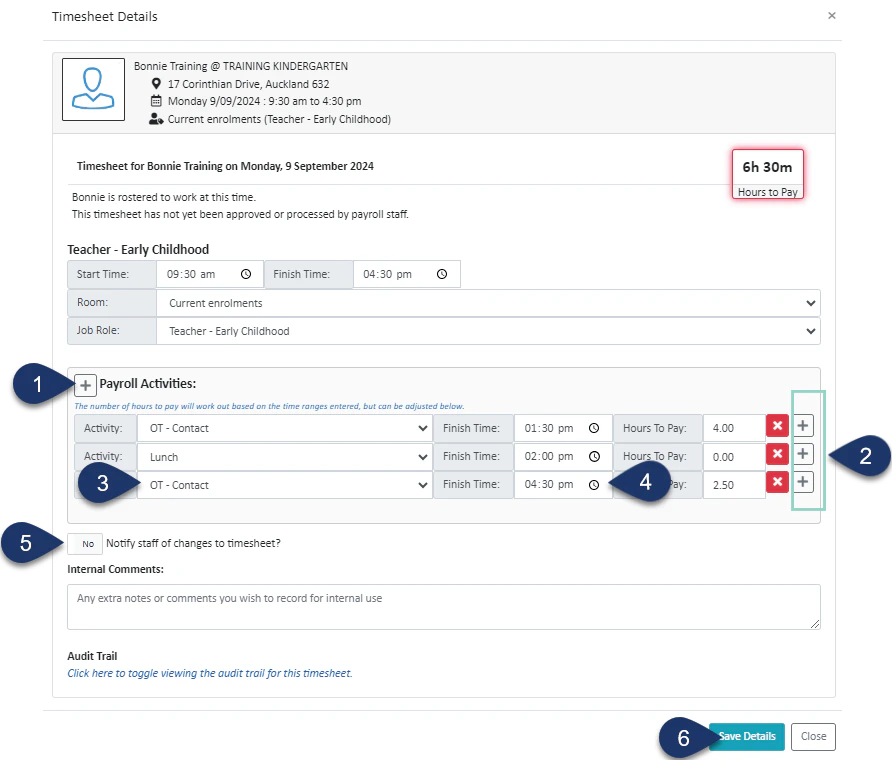
- Click this + button to add an activity to the top of the list
- Select one of these + buttons to add an activity directly below
- Choose from the list of activities
- Enter the finish time of this activity
- If you wish to notify the staff member of the change, switch this toggle to a yes
- Select Save Details.