.png?fit=max&auto=format&n=fTXEPIUfjW4rC1Pi&q=85&s=85d7b852879d29ad2bde9b743307ab0e)
Permission Required
Only users at the head office with access to organisation settings can perform this action.Steps to Generate Future Timesheets
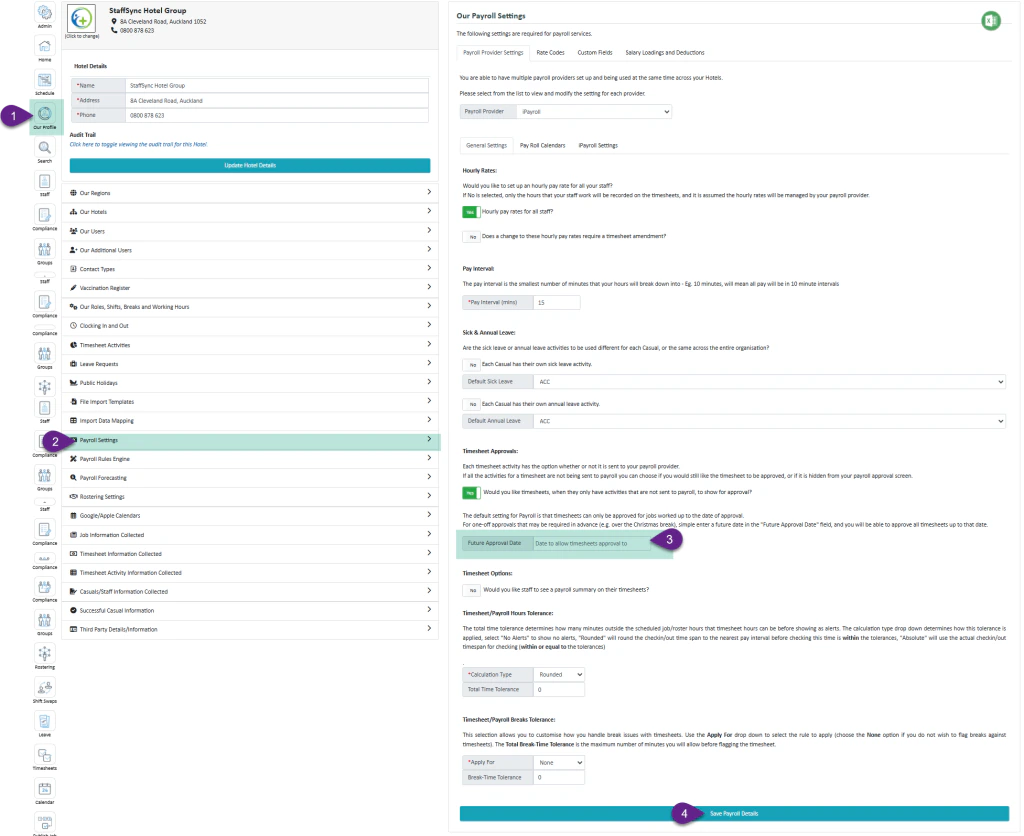
- Select “Our Profile”
- Select “Payroll Settings”
- Enter the Desired Date – enter the date up to which you want future timesheets generated
- Select “Save Payroll Settings”