2026 03 09 15 32 15
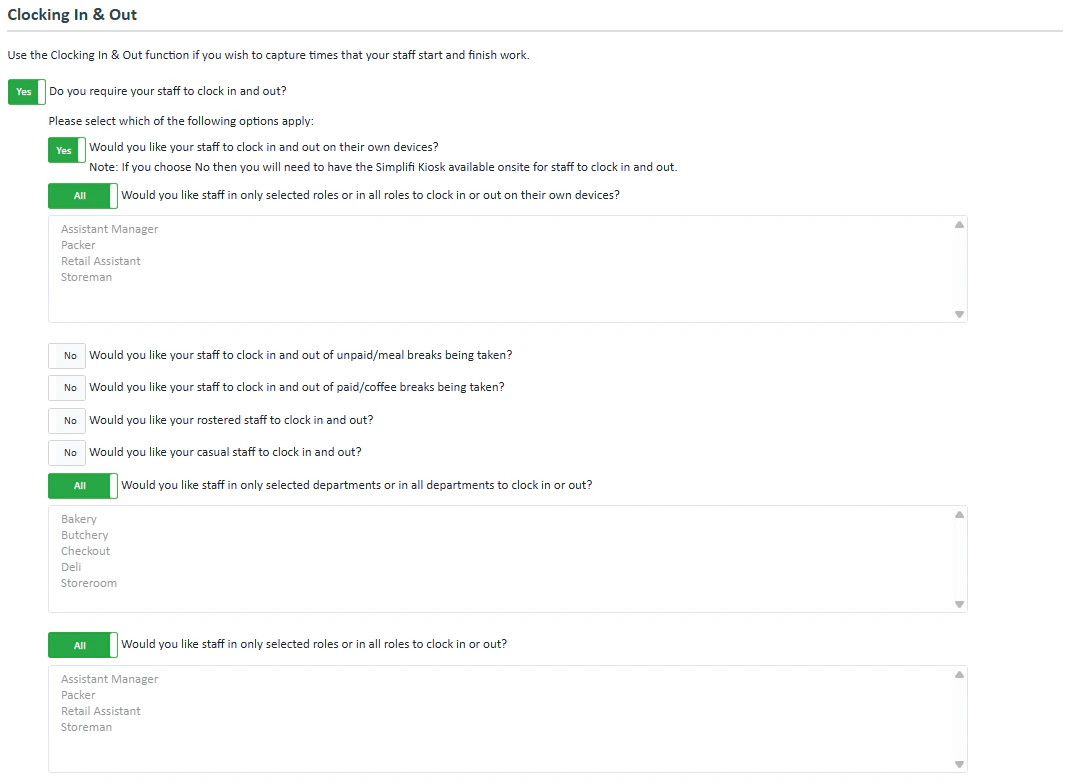
If you’d like staff to clock in and out, enable this module. If you’d like only specific staff and staff in specific departments to have to clock in and out, then enable clocking in and out and adjust which staff are bound by this rule below. If you’d like staff to clock in and out, you can change whether the staff can clock in and out on their own devices, as well as whether staff in selected roles or in all roles can clock in or out on their own devices. You can also adjust whether staff clock in and out of unpaid and paid breaks.

Back to Back Shifts

2026 03 09 15 37 25
Where staff are working back to back shifts, we offer the option for them to be automatically clocked out of their first shift and be automatically clocked into their second shift.
If this option is selected, they will only need to clock into their first shift and clock out of their second shift. If it is not selected they will need to clock in and out of both shifts.

Time Tolerance Settings
2026 03 09 15 38 44
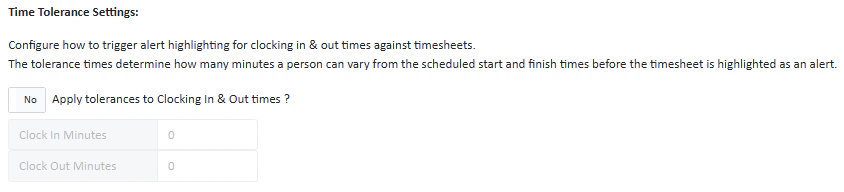
Under these settings you can configure how to trigger alert highlighting for clocking in & out times against timesheets. The tolerance times determine how many minutes a person can vary from the scheduled start and finish times before the timesheet is highlighted as an alert in the timesheet. The difference between these time tolerance settings and the time tolerance settings contained in the payroll is that these will only show the time tolerance in the timesheet, whereas the payroll time tolerance settings will display a warning in the payroll module.

Automated Clock In and Out Function

2026 03 09 15 43 16
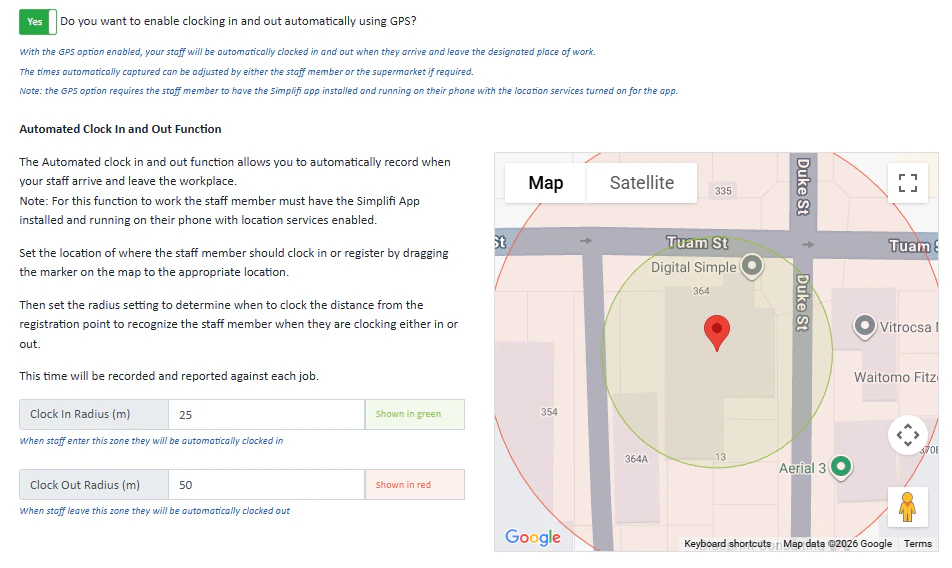
The Automated clock in and out function allows you to automatically record when your staff arrive and leave the workplace.
Note: For this function to work the staff member must have the Simplifi App installed and running on their phone with location services enabled.
Set the location of where the staff member should clock in or register by dragging the marker on the map to the appropriate location. Then set the radius setting to determine when to clock the distance from the registration point to recognise the staff member when they are clocking either in or out. This time will be recorded and reported against each job.