.png?fit=max&auto=format&n=fTXEPIUfjW4rC1Pi&q=85&s=85d7b852879d29ad2bde9b743307ab0e)
Standard Shifts
From these options you can create a new shift. You are able to set up as many shifts as required for your supermarket, with predefined start and end times, and how many hours are published to your payroll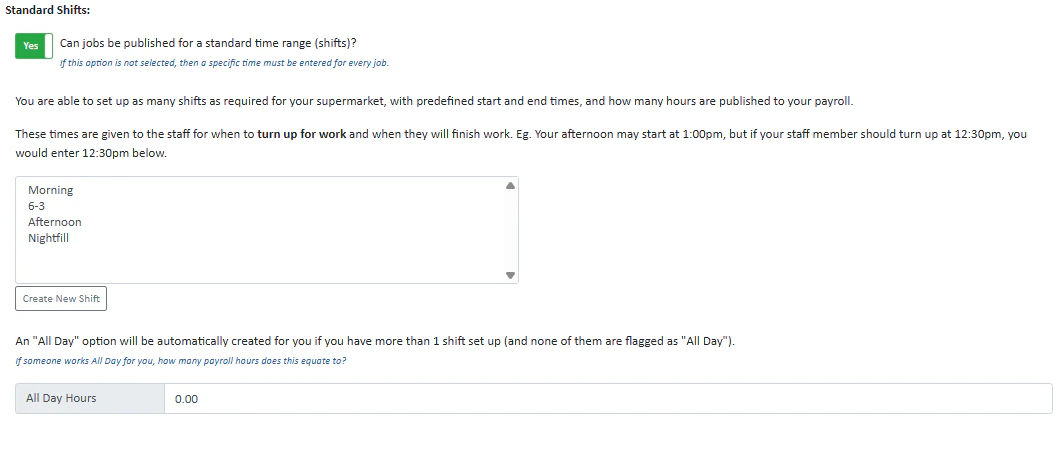
Publishing Jobs
From these options, you can select what address you broadcast your jobs from, whether you’d like to use the first responder option, whether that first responder option was the default choice when publishing a job, whether you record staff absence details, whether you’d like to choose timesheet activities when publishing jobs and what default role you’d like to show when publishing a job.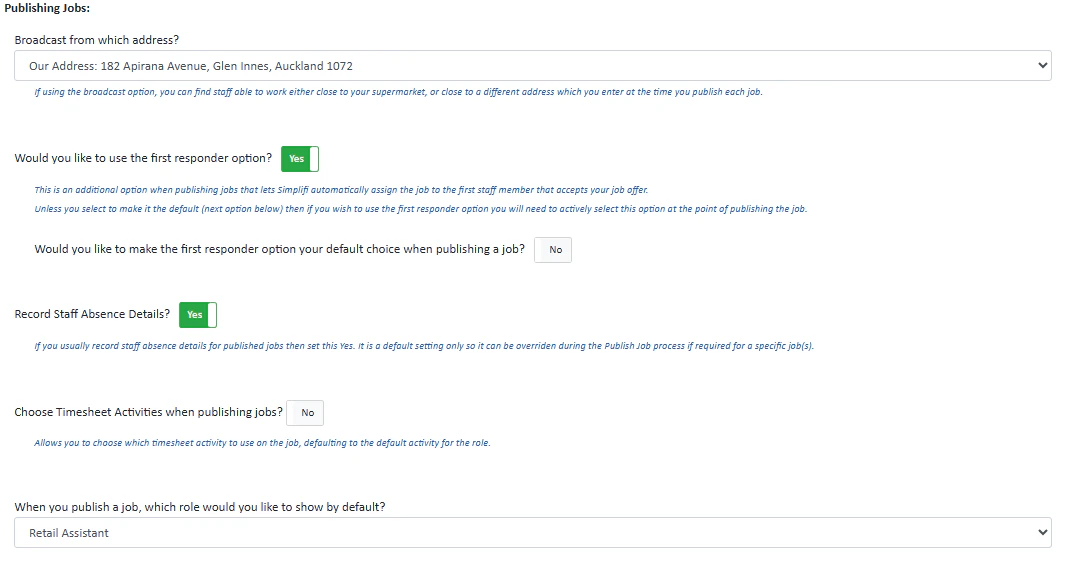
Paid & Unpaid Breaks
This allows you to automatically add an unpaid or paid break when publishing a job (once the job exceeds a given number of hours). The breaks will be automatically added after the time allowance, however these times can be modified from the timesheet if required. To add a new break, press Add New Break and enter the details.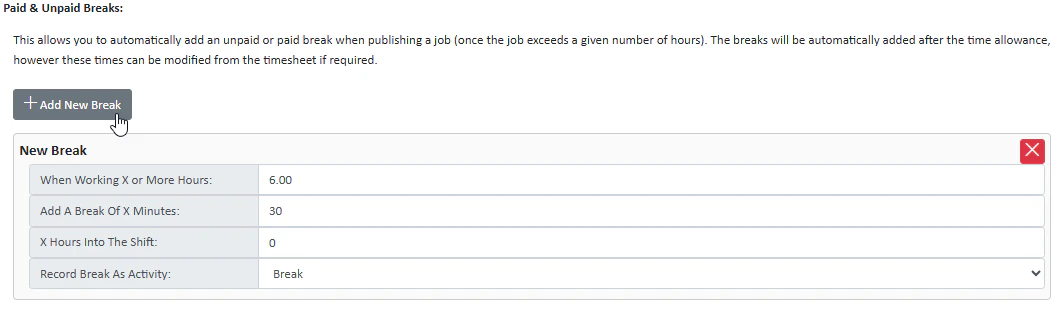
Financial Weeks
This allows you to use financial weeks for your report. Change the toggle to yes to enable financial weeks, and select a start month for your financial year.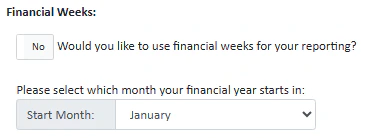
Working Times/Days
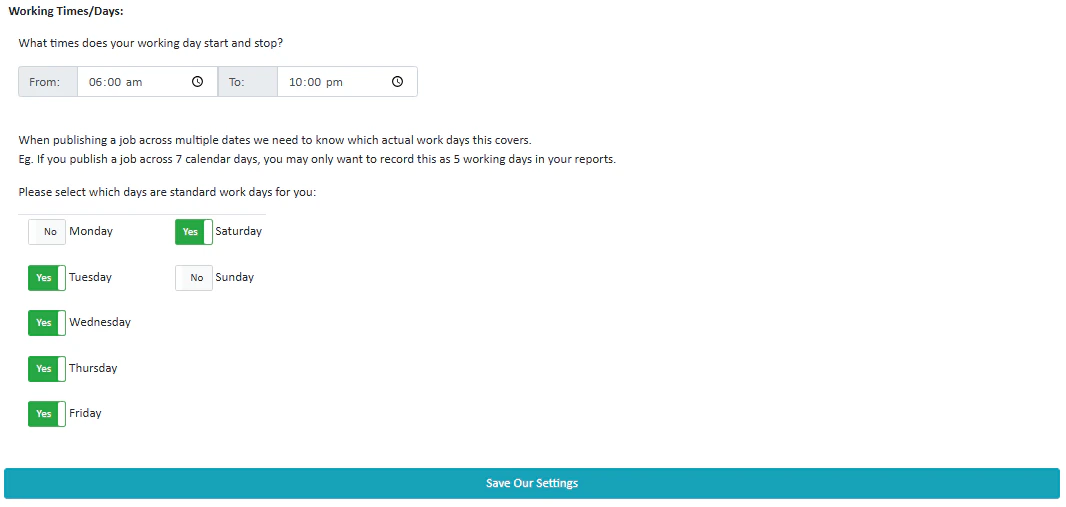
These settings allow you to set the times that your working day starts and stops (the times that your organisation has people working). You can also set what days are standard working days for you. For example, your organisation may be closed on a Sunday, therefore you’d untick Sunday.