.png?fit=max&auto=format&n=fTXEPIUfjW4rC1Pi&q=85&s=85d7b852879d29ad2bde9b743307ab0e)
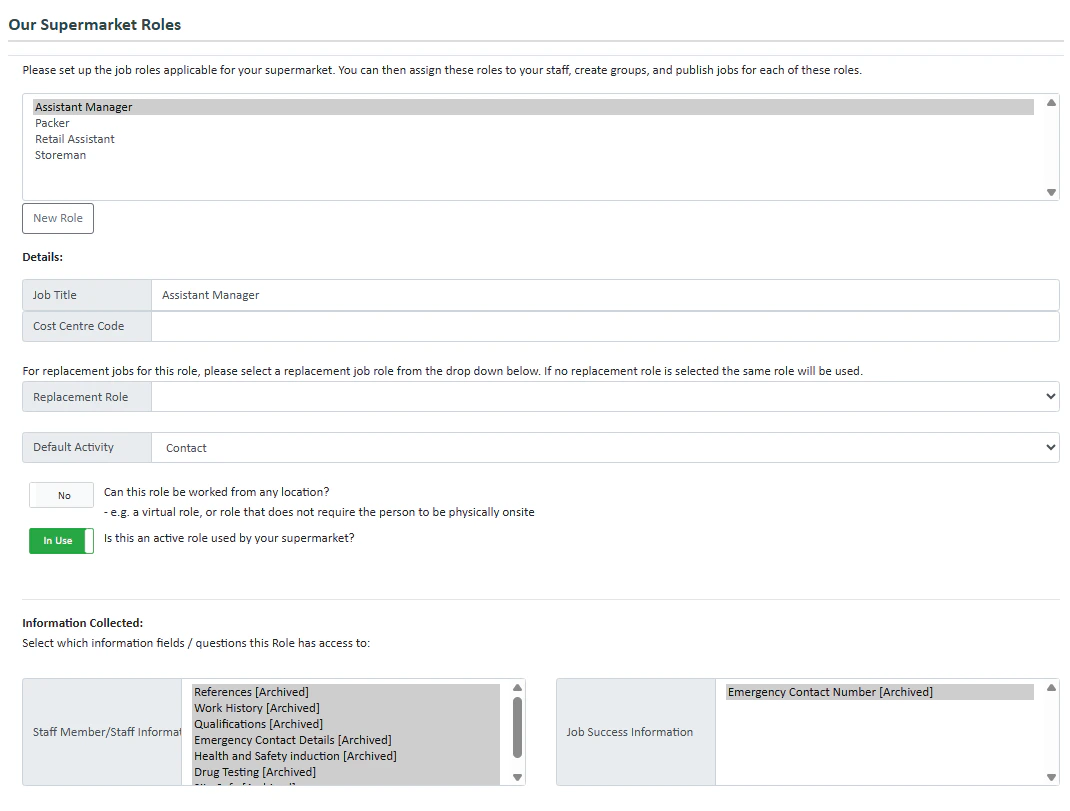
- Press New Role
- Fill in the details.
- Select which information is collected for the role as well as the information collected when a staff member successfully gets a job. To create a new information field press here
- Select the One-Click Breaks options you’d like
- Break Replacements let you switch unpaid breaks to paid breaks as long as the break is taken at a certain time. Press the toggle if the role is using break replacements. If you would like to enable break replacements, enter the times here.
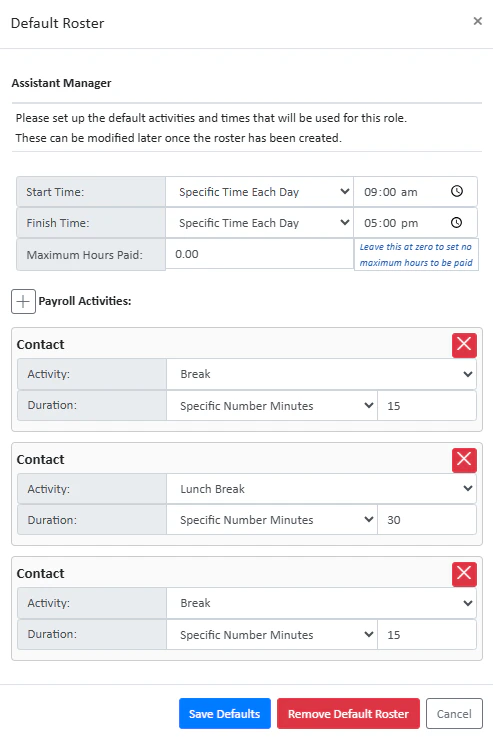
- You can create a default roster using the Default Roster feature. Press Create Default Roster to set up a new default roster. Below you can see an example of a default shift from 9-5pm for an assistant manager: