
.png?fit=max&auto=format&n=fTXEPIUfjW4rC1Pi&q=85&s=85d7b852879d29ad2bde9b743307ab0e)
- Be logged in as a staff member.
- Have Bluetooth turned on.
- Grant location permissions to the **OnTask **app.
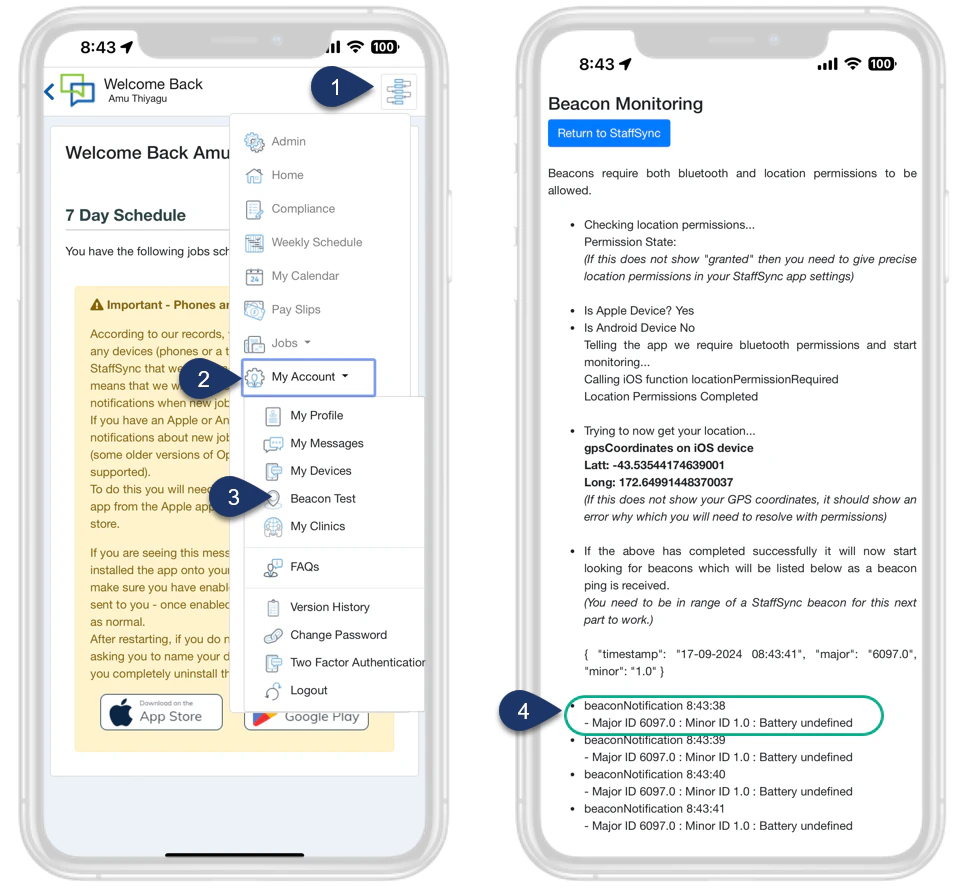
- Select the Menu.
- Select Account.
- Select Beacon Test.
- If you have successfully set up the beacon, you will see the beacon’s Major and Minor IDs displayed here. Please note that the IDs shown are in decimal format, not HEX.