
.png?fit=max&auto=format&n=fTXEPIUfjW4rC1Pi&q=85&s=85d7b852879d29ad2bde9b743307ab0e)
- Set up the Beacon on StaffSync and obtain a Major ID (HEX) and Minor ID (HEX).
- Configure the Beacon using the app iBKS Config Tool.
Beacon Setup on OnTask
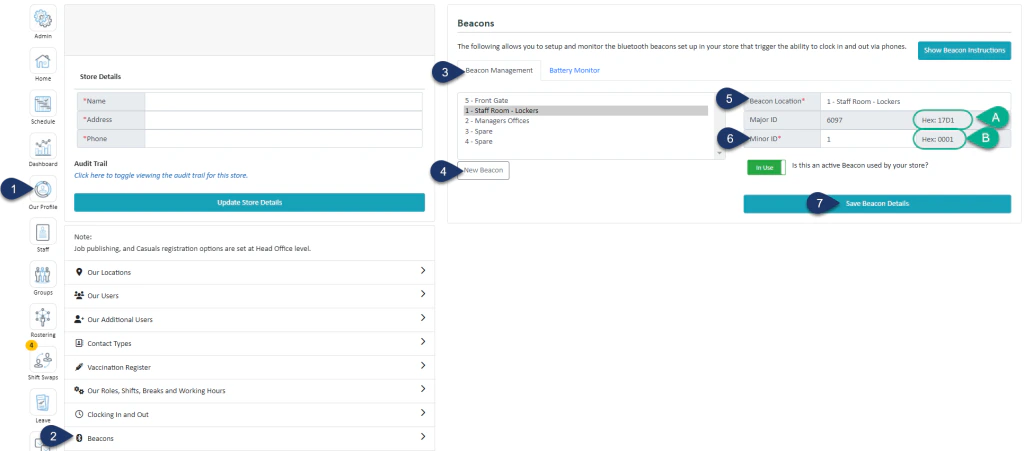
- Select Our Profile.
- Select Beacons.
- Select Beacon Management.
- Select New Beacon.
- Enter the name of the beacon (it’s recommended to use the location as the name).
- Enter a unique number for this beacon (1 – 15).
- Select Save Beacon Details
B. The Minor ID (HEX) is generated. This ID is unique to the individual beacon. You will need both the Major and Minor ID (HEX) for the next steps.
Configuring the Beacon Using the iBKS Config Tool
You will need the iBKS Config Tool app for this step. It is available on both the Apple App Store and Google Play Store.
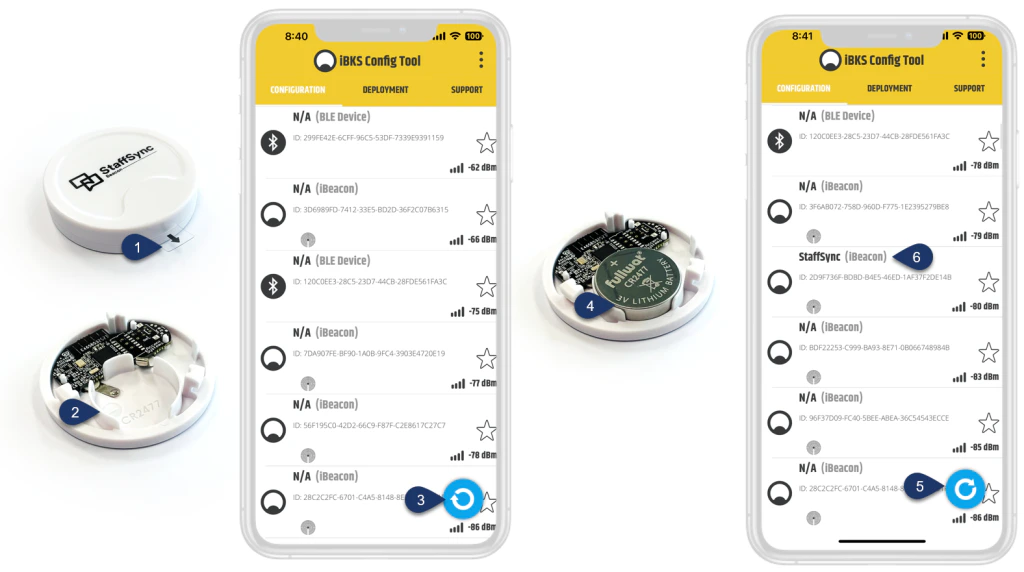
- Remove the plastic tab from the beacon.
- Twist and open the cap to remove the battery from the beacon.
- This button starts and stops a search for nearby devices. If you don’t see a live list being loaded with nearby devices, then press the **Sync button on theiBKS Config Tool ** to start a search.
- Insert the battery back into the beacon as shown in the image (battery name facing up).
Your beacon will now be discoverable on the iBKS Config Tool. - You will see a list of names appear in the app. Once you see StaffSync, click the Sync button again to stop the search.
(If you can’t see the name within the first 30 seconds, repeat steps 2–4.) - Select StaffSync. (You may need to scroll down to find it again.)
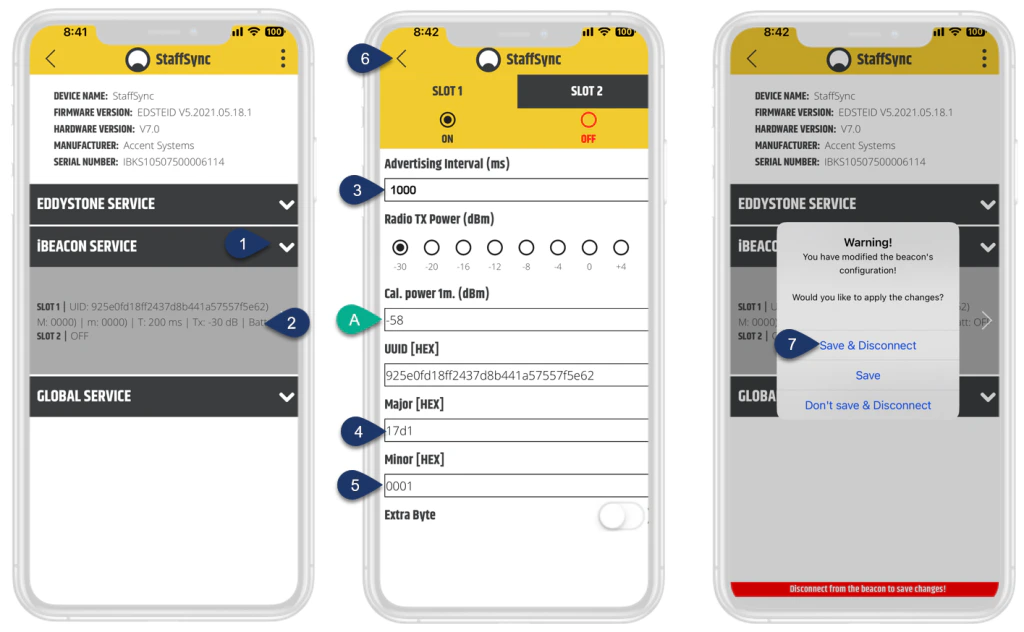
- Select iBeacon Services to expand the dropdown.
- Select the dropdown area with text.
- Enter 1000 for the Advertising Interval
- Enter the four-digit Major ID (HEX) from Step 1.
- Enter the four-digit Minor ID (HEX) from Step 2.
A. Cal.power1m set at -58 – This sets the beacon’s range to 1–2 metres. Altering this value will adjust the beacon’s range. - Click the back arrow twice
- Select Save & Disconnect