Documentation Index
Fetch the complete documentation index at: https://docs.simplifi.work/llms.txt
Use this file to discover all available pages before exploring further.
The Simplifi API is in Developer Preview. While not all features are finalised, we encourage you to explore and share your feedback — including thoughts on endpoint design, response structure, or areas where documentation could be clearer.
Code Example
You can see an example of a token manager in Python below:
import time
import requests
CLIENT_ID = "your_client_id"
CLIENT_SECRET = "your_client_secret"
AUTH_URL = "https://dev.simplifi.work/oauth/token"
BASE_URL = "https://dev.simplifi.work/api"
class SimplifiClient:
def __init__(self, client_id: str, client_secret: str):
self.client_id = client_id
self.client_secret = client_secret
self._token: str | None = None
self._token_expiry: float = 0
def get_access_token(self) -> str:
response = requests.post(
AUTH_URL,
data={"grant_type": "client_credentials"},
auth=(self.client_id, self.client_secret),
)
response.raise_for_status()
data = response.json()
self._token = data["access_token"]
# Subtract 30 seconds as a buffer so we refresh slightly before expiry
self._token_expiry = time.time() + data["expires_in"] - 30
return self._token
# Is the token expired? if so _get_access_token
def get_valid_token(self) -> str:
if self._token is None or time.time() >= self._token_expiry:
self.get_access_token()
return self._token
def request(self, method: str, path: str, **kwargs) -> dict:
token = self.get_valid_token()
response = requests.request(
method,
f"{BASE_URL}{path}",
headers={"Authorization": f"Bearer {token}"},
**kwargs,
)
if response.status_code == 401:
# Token rejected by server — force a refresh and retry once
self._token = None
token = self._get_valid_token()
response = requests.request(
method,
f"{BASE_URL}{path}",
headers={"Authorization": f"Bearer {token}"},
**kwargs,
)
response.raise_for_status()
return response.json()
def get_employee(self, employee_id: str) -> dict:
return self.request("GET", f"/v1/employees/{employee_id}")
def get_employees(self) -> list:
return self.request("GET", "/v1/employees")
# Usage
client = SimplifiClient(CLIENT_ID, CLIENT_SECRET)
employee = client.get_employee("123")
Note that when the request method in the SimplifiClient class is called, it gets a valid token by calling get_valid_token which checks if an hour has passed (minus 30 seconds) and if so, then it fetches a new, valid token by calling get_access_token .
Testing out authentication using Postman
Here’s an example of us requesting for a list of employees in Postman. Postman is a SAAS that offers a free plan that you could use to test out the Simplifi API.
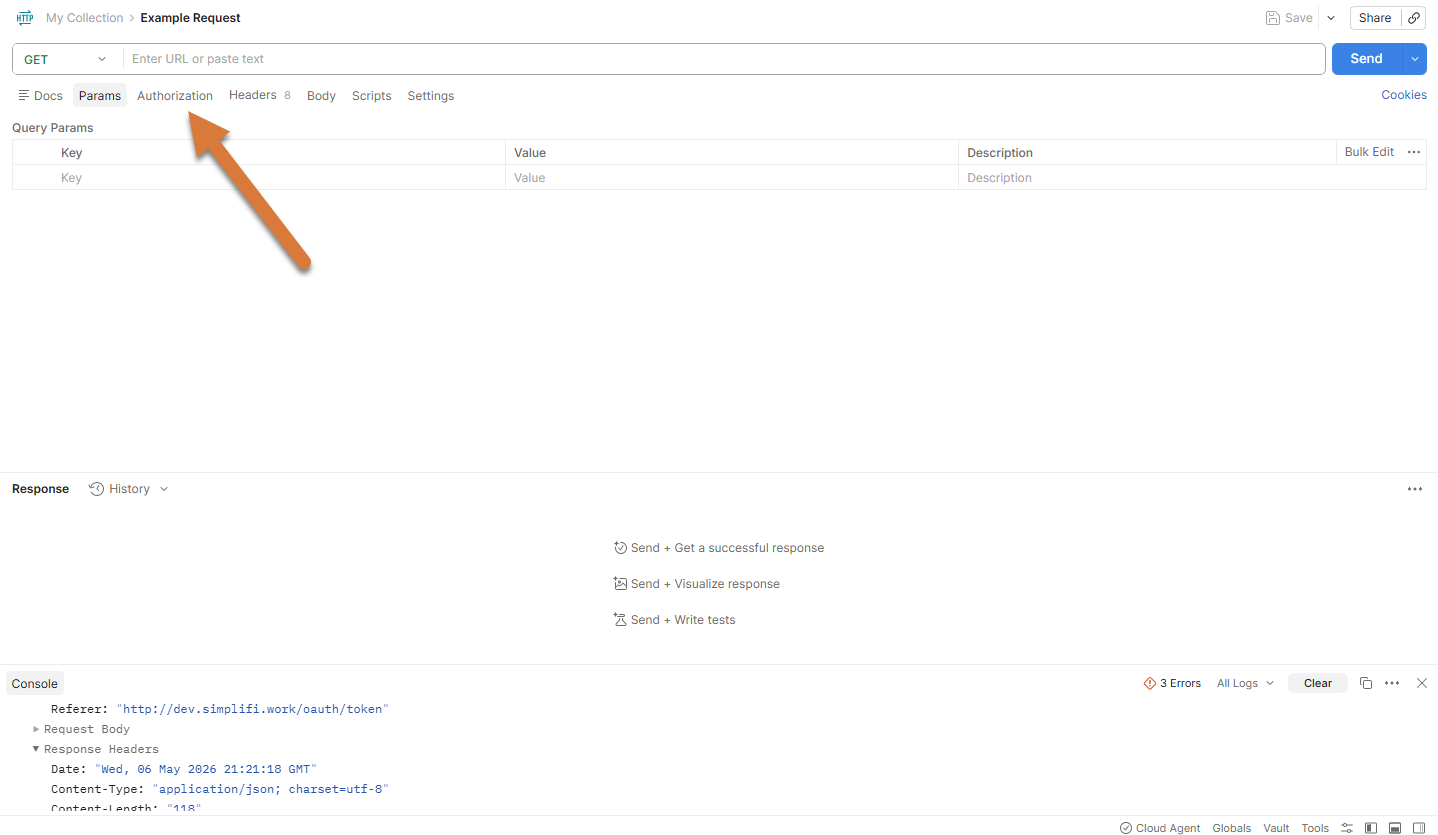
Start by making a new request under your collection, and navigate to the Authorisation tab.
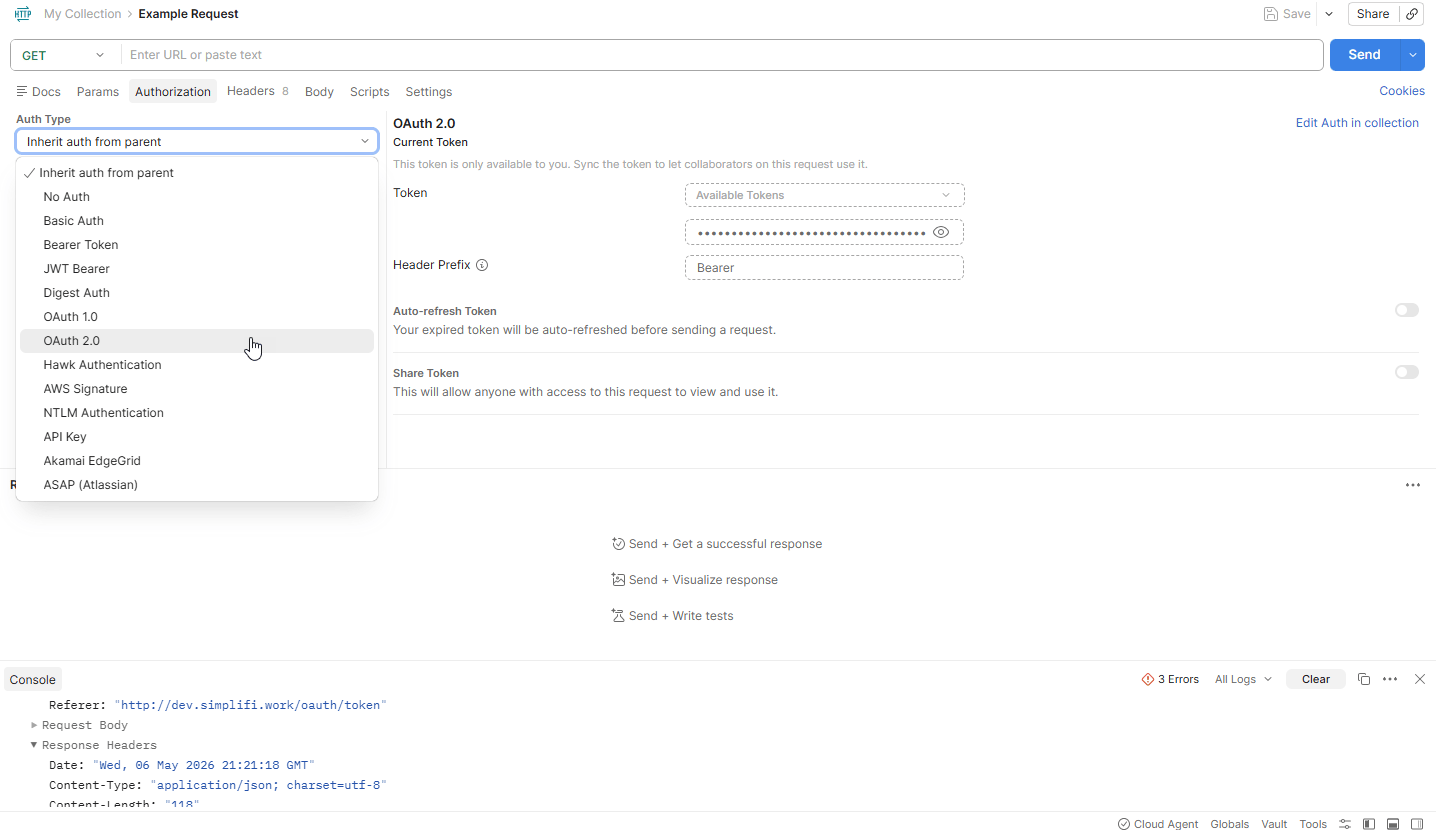
Change the Auth Type to OAuth2.0
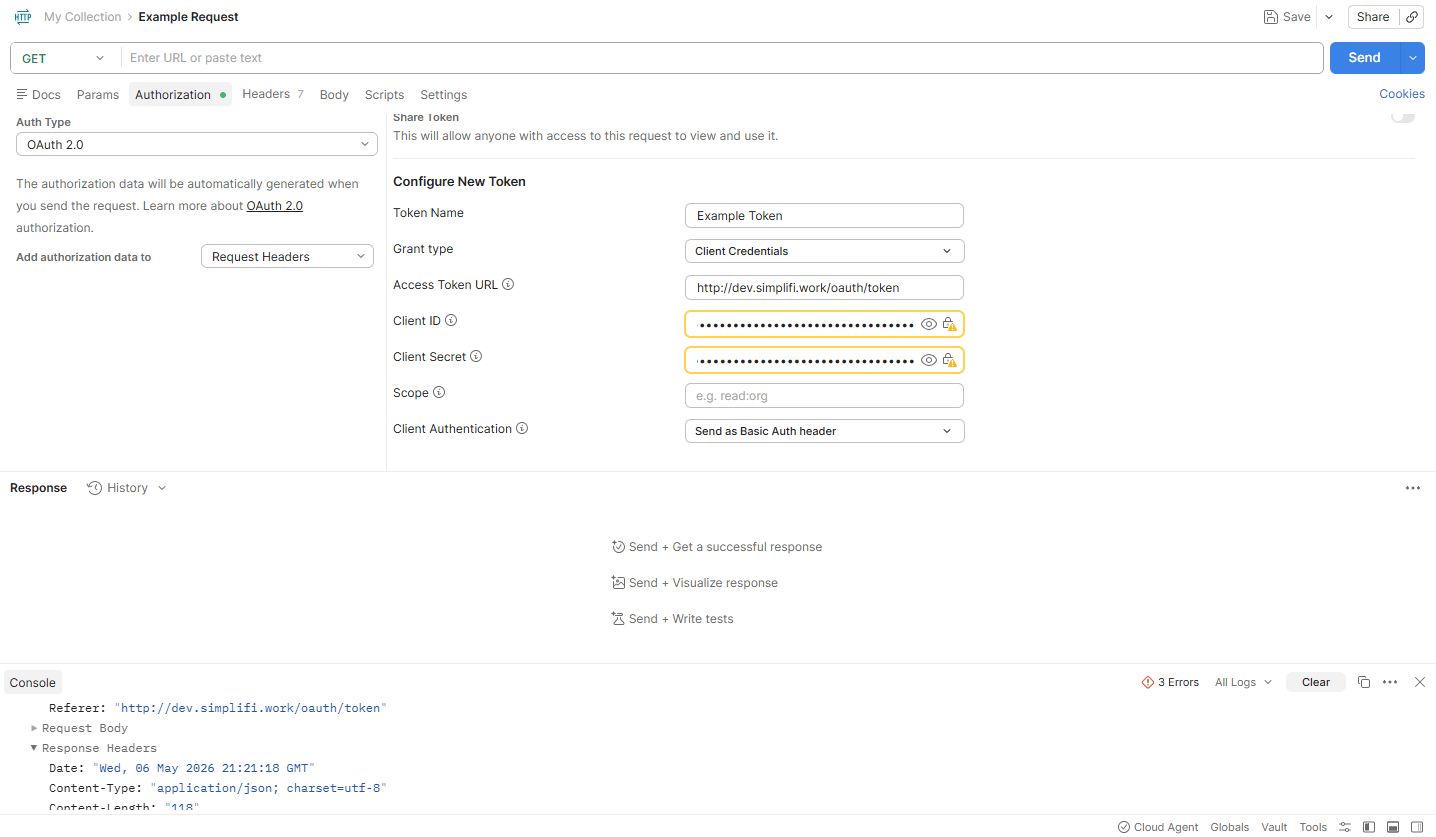
Scroll down and enter in your Client ID and Client Secret. Make sure that Add authorisation data to is set to Request Headers, Grant type is set to Cleint Credentials, and Client Authentication is set to Send as Basic Auth Header. Scroll down and enter in your Client ID and Client Secret. Make sure that Add authorisation data to is set to Request Headers, Grant type is set to Client Credentials, and Client Authentication is set to Send as Basic Auth Header.
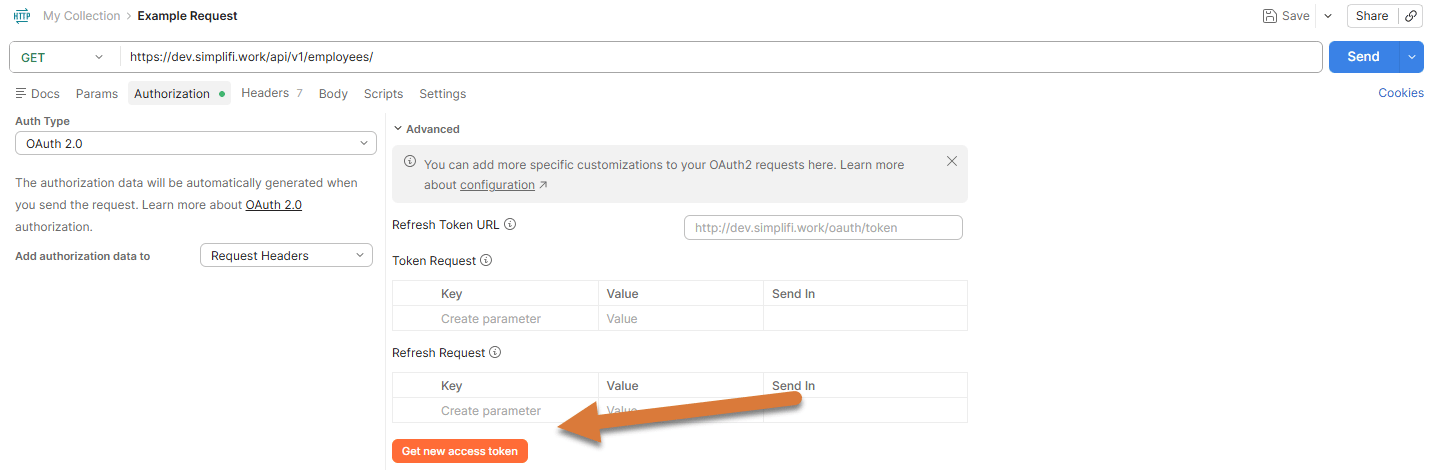
Scroll down again and press Get New Access Token
You should now have generated an access token. Press Use Token to proceed.
- Now enter in the address for the request. We are going to be getting all employees in the organisation, so ours is https://dev.simplifi.work/api/v1/employees/
- Press send to request the employees.
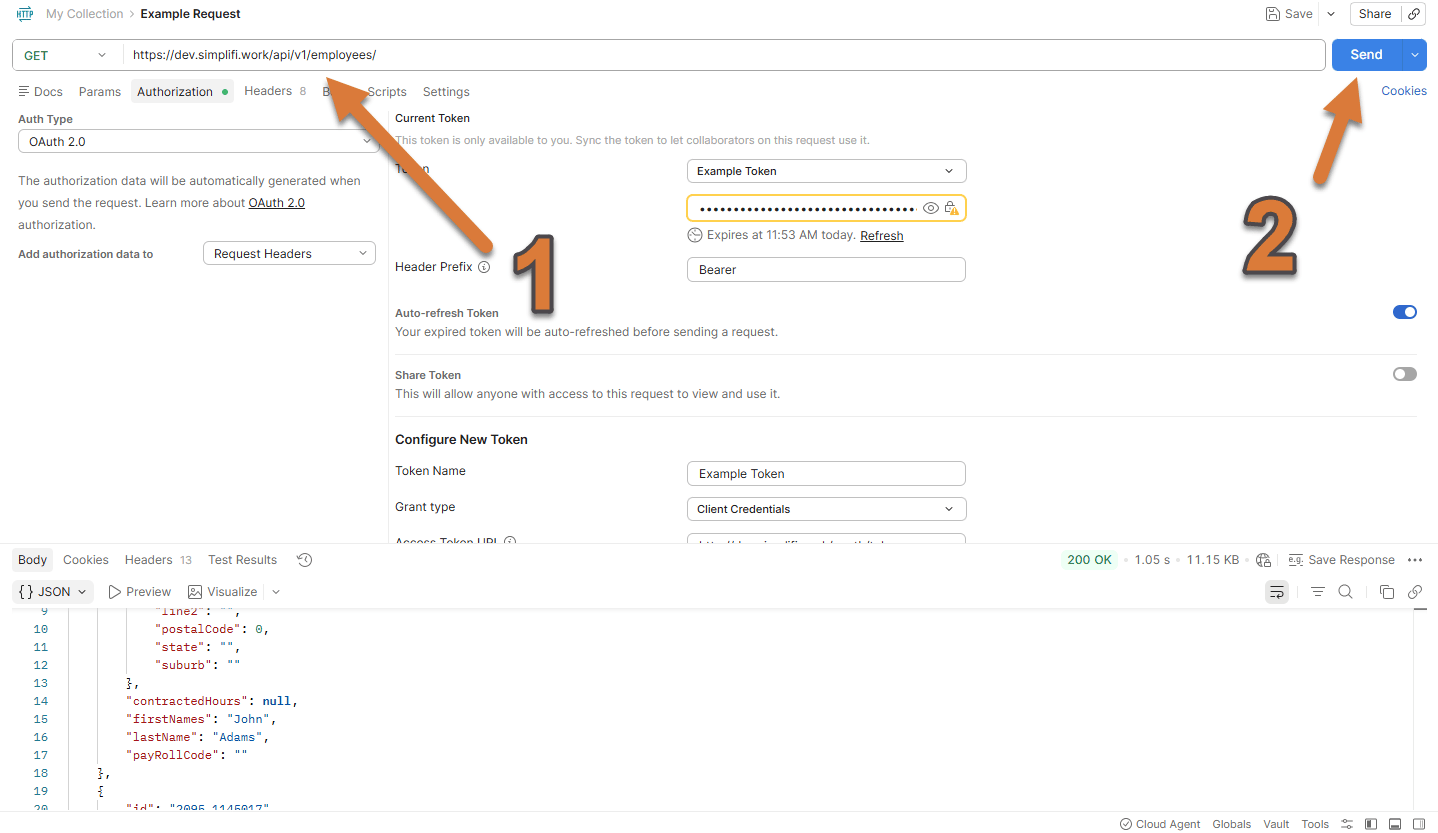
You should now be able to see in the response body at the bottom, which has all the employees.