> ## Documentation Index
> Fetch the complete documentation index at: https://docs.simplifi.work/llms.txt
> Use this file to discover all available pages before exploring further.

# What is a Group?

Staff member groups are groups of staff to make it quicker and easier for you to notify your staff when publishing a job notice. There is no limit to the number of groups that can be set up. You can create as many as you require to make publishing your jobs quick and easy.

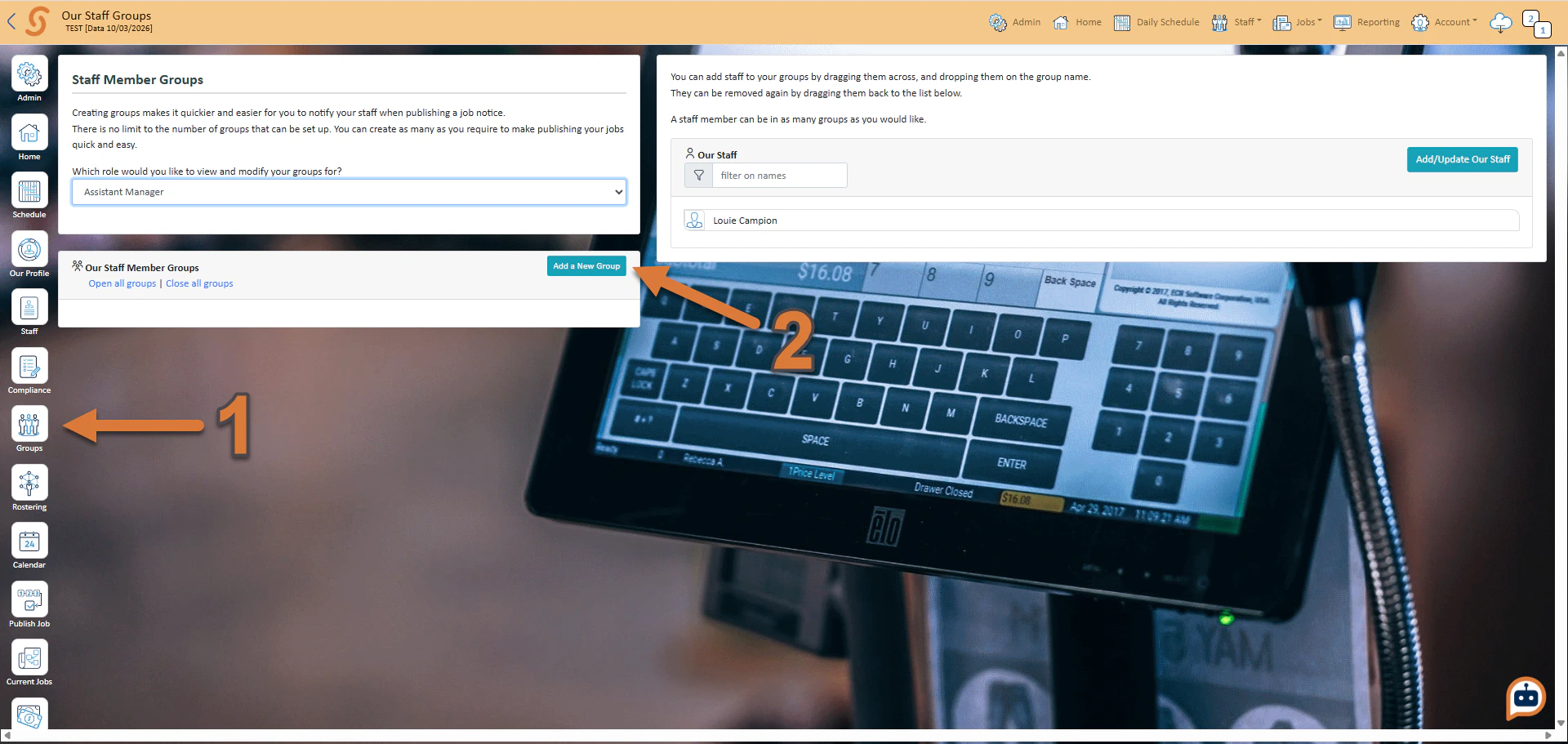
To create a group:
<Frame>
  <img src="https://mintcdn.com/simplifi/0e0uW6Nkw2ryKyVQ/images/2026-03-30_13-28-18-2.png?fit=max&auto=format&n=0e0uW6Nkw2ryKyVQ&q=85&s=37c7f3b383f00df484f6bfdc38f0f3d0" alt="2026 03 30 13 28 18" title="2026 03 30 13 28 18" lightAlt="2026 03 30 13 28 18" darkAlt="2026 03 30 13 28 18" className="hidden dark:block" width="1920" height="911" data-path="images/2026-03-30_13-28-18-2.png" />

  <img src="https://mintcdn.com/simplifi/0e0uW6Nkw2ryKyVQ/images/2026-03-30_13-28-18-1.png?fit=max&auto=format&n=0e0uW6Nkw2ryKyVQ&q=85&s=cdab67aea7162b5dad37f6d88010d46b" alt="2026 03 30 13 28 18" title="2026 03 30 13 28 18" lightAlt="2026 03 30 13 28 18" darkAlt="2026 03 30 13 28 18" className="dark:hidden" width="1920" height="911" data-path="images/2026-03-30_13-28-18-1.png" />
</Frame>

1. Press **Groups**
2. Press **Add a New Group**
<Frame>
  <img src="https://mintcdn.com/simplifi/0e0uW6Nkw2ryKyVQ/images/2026-03-30_13-31-01.png?fit=max&auto=format&n=0e0uW6Nkw2ryKyVQ&q=85&s=edc18f3b292433300e3e44fdf0991084" alt="2026 03 30 13 31 01" width="494" height="212" data-path="images/2026-03-30_13-31-01.png" />
</Frame>

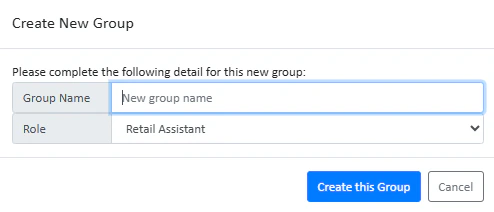
3. Enter your group name, and press **Create this Group**.
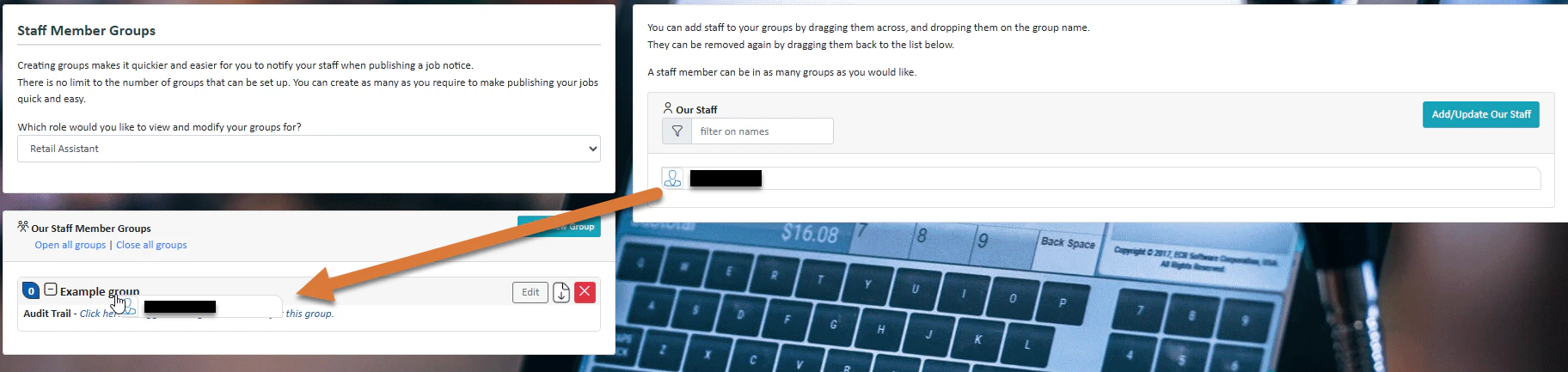
   To add a staff member to a group, simply drag them across from the right and onto the name of the group.
<Frame>
  <img src="https://mintcdn.com/simplifi/0e0uW6Nkw2ryKyVQ/images/2026-03-30_13-36-23.png?fit=max&auto=format&n=0e0uW6Nkw2ryKyVQ&q=85&s=dbacf1ec262e386484cbb676e7aede3c" alt="2026 03 30 13 36 23" width="1824" height="433" data-path="images/2026-03-30_13-36-23.png" />
</Frame>