> ## Documentation Index
> Fetch the complete documentation index at: https://docs.simplifi.work/llms.txt
> Use this file to discover all available pages before exploring further.
# Viewing Audit Trails
Audit trails contain information on different actions taken on an organisation, staff member or user which is critical for diagnosing issues.
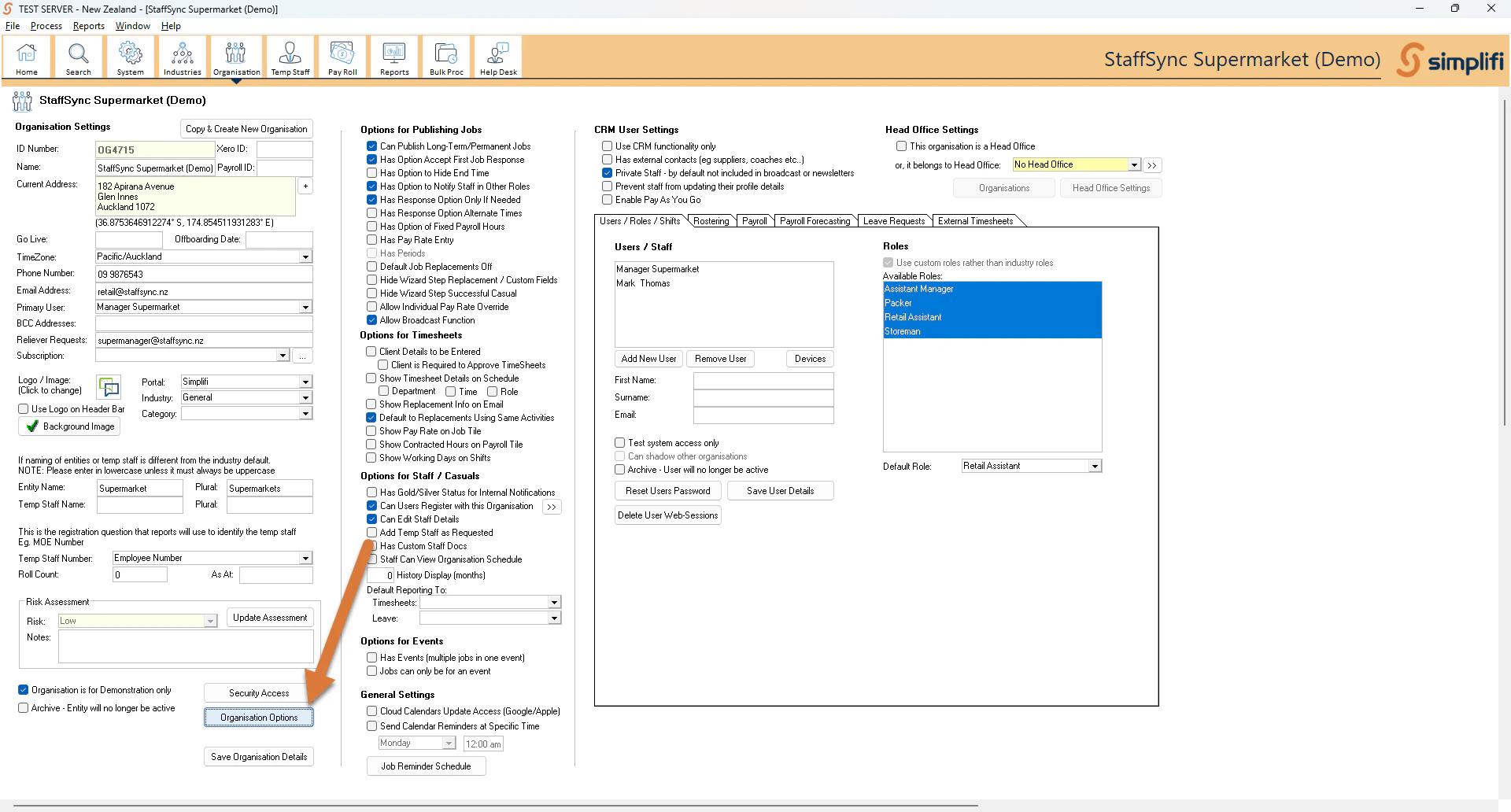
To view the audit trails for an **organisation**, first search for one, click on it and press **Organisation Options** at the bottom.
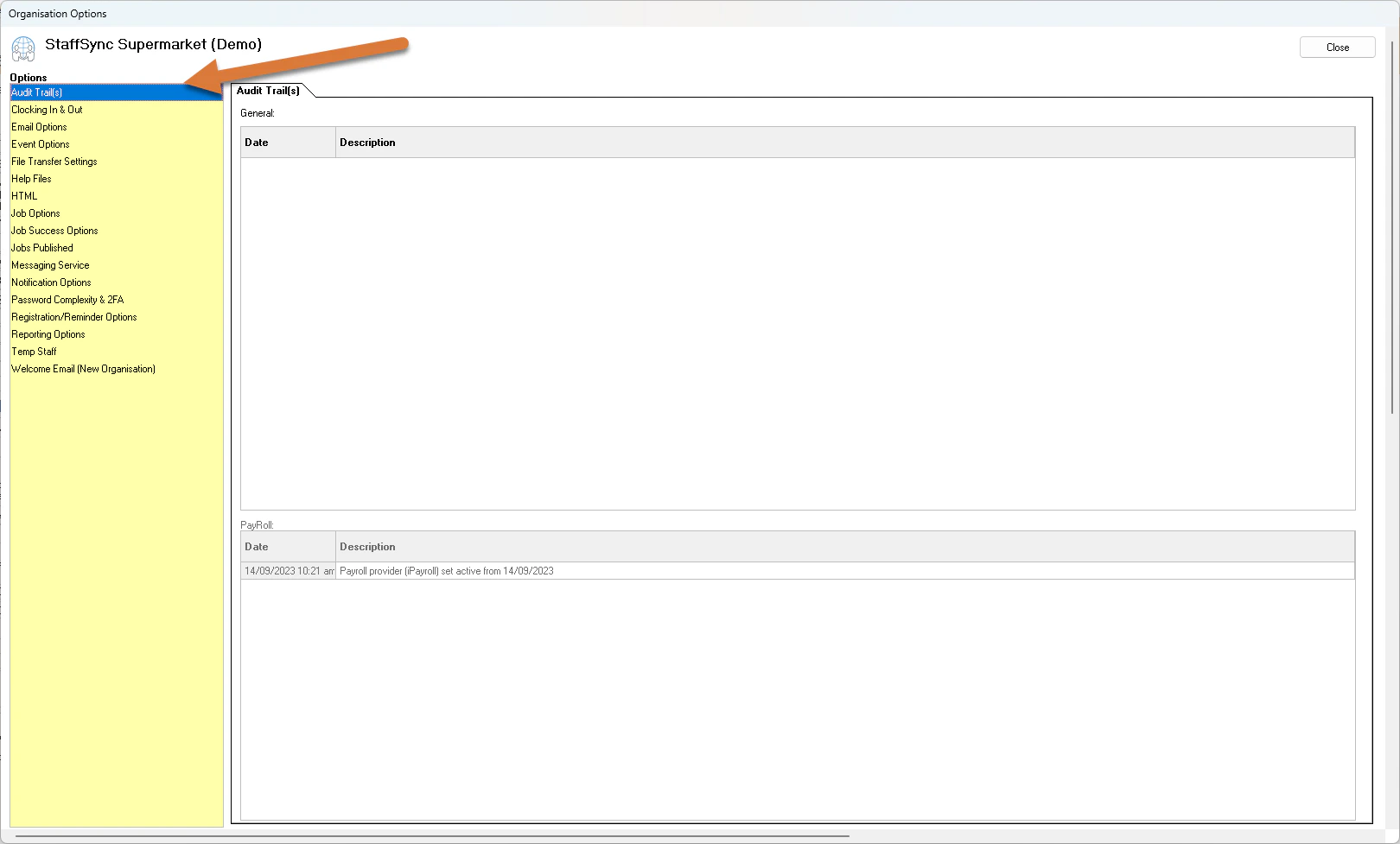 The audit trails will be visible on the first option that opens.
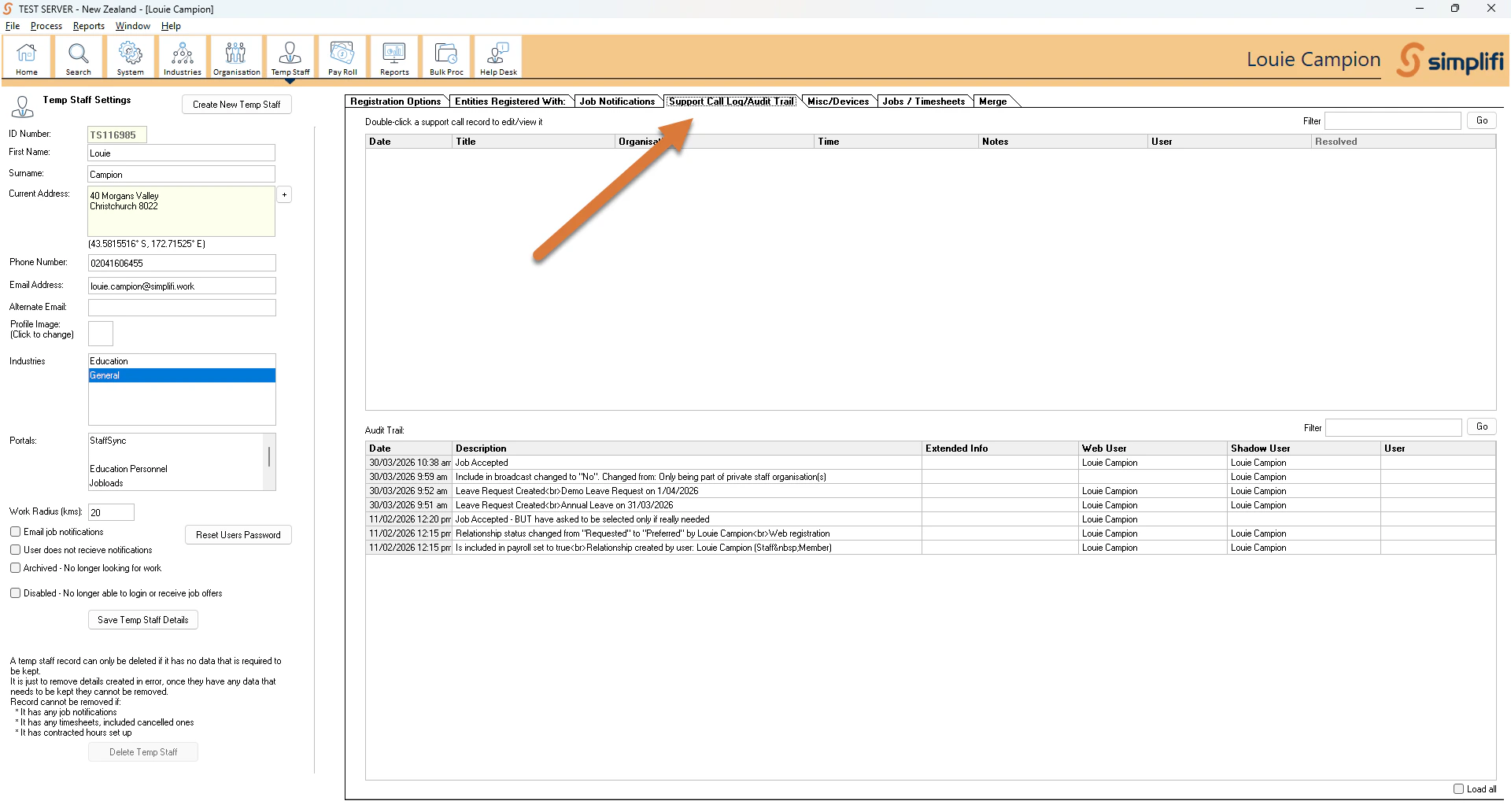
To view the audit trails for a **staff member**, press the fourth tab after searching and selecting a staff member.
The audit trails will be visible on the first option that opens.
To view the audit trails for a **staff member**, press the fourth tab after searching and selecting a staff member.