> ## Documentation Index
> Fetch the complete documentation index at: https://docs.simplifi.work/llms.txt
> Use this file to discover all available pages before exploring further.
# Staff Compliance
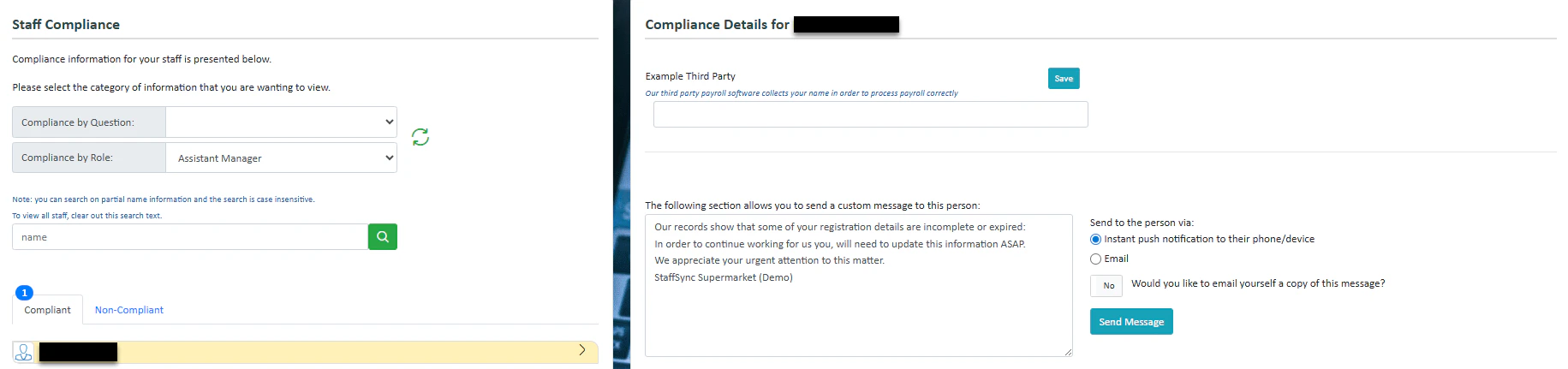 Staff compliance information denotes which staff are complying with the compliance questions you have set up. If you have set up [Staff Information Collected](/job-information-fields) then you will see the compliance details.
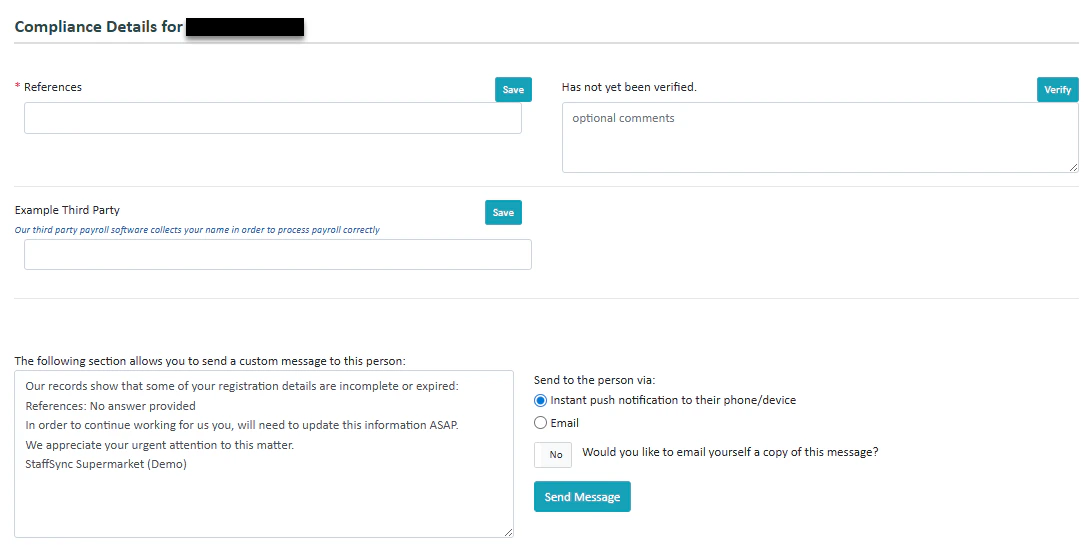 The staff will enter their own details, and it is up to you to verify it or not by pressing **verify** on the right.
You can also press **Send Message** to send a message to the staff member if they are missing compliance details.
The staff will enter their own details, and it is up to you to verify it or not by pressing **verify** on the right.
You can also press **Send Message** to send a message to the staff member if they are missing compliance details.