> ## Documentation Index
> Fetch the complete documentation index at: https://docs.simplifi.work/llms.txt
> Use this file to discover all available pages before exploring further.
# Our Roles
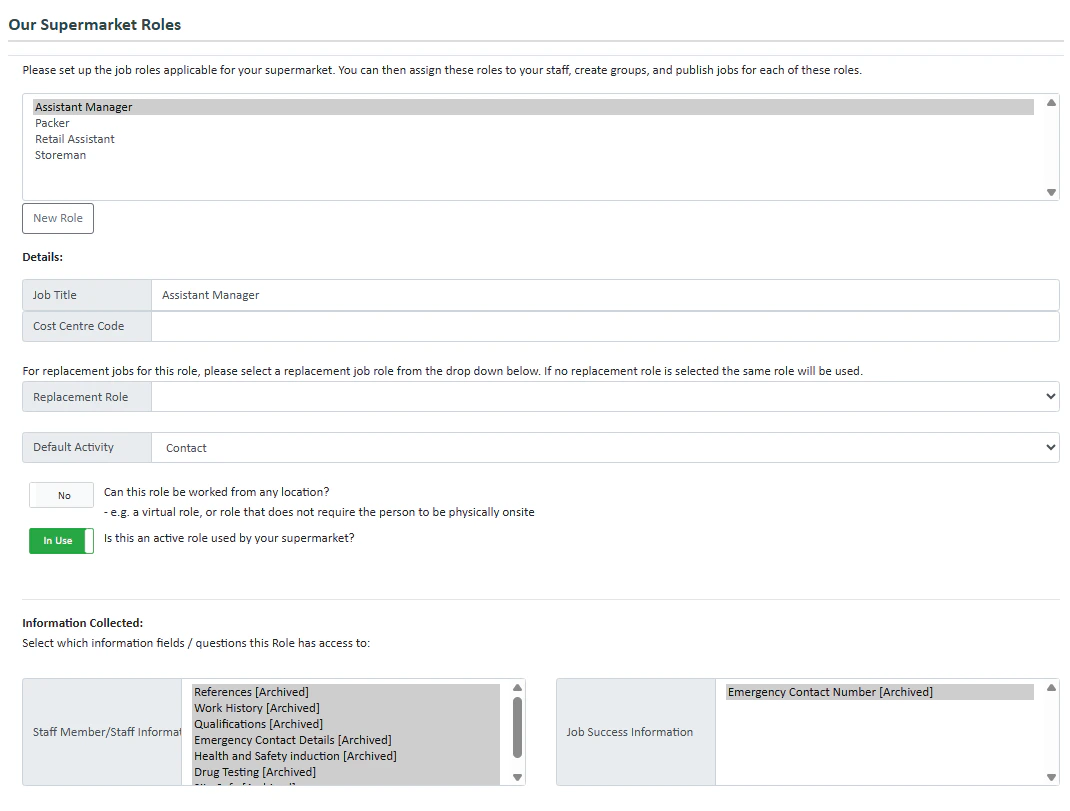 **Our Roles** lets you set up the various roles in an organisation.
To create a new role:
1. Press **New Role**
2. Fill in the details.
3. Select which information is collected for the role as well as the information collected when a staff member successfully gets a job. To [create a new information field press here](/how-to-create-a-new-information-collected-field)
4. Select the [One-Click Breaks](/one-click-breaks) options you'd like
5. **Break Replacements** let you switch unpaid breaks to paid breaks as long as the break is taken at a certain time. Press the toggle if the role is using break replacements. If you would like to enable break replacements, enter the times here.
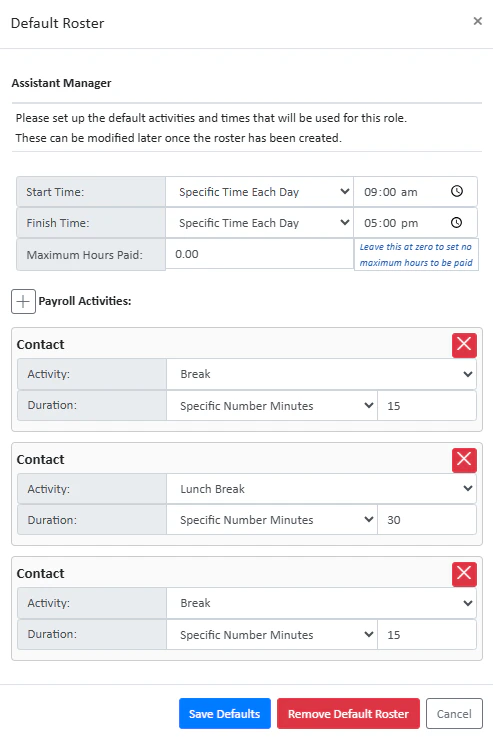
6. You can create a default roster using the **Default Roster** feature. Press **Create Default Roster** to set up a new default roster. Below you can see an example of a default shift from 9-5pm for an assistant manager:
**Our Roles** lets you set up the various roles in an organisation.
To create a new role:
1. Press **New Role**
2. Fill in the details.
3. Select which information is collected for the role as well as the information collected when a staff member successfully gets a job. To [create a new information field press here](/how-to-create-a-new-information-collected-field)
4. Select the [One-Click Breaks](/one-click-breaks) options you'd like
5. **Break Replacements** let you switch unpaid breaks to paid breaks as long as the break is taken at a certain time. Press the toggle if the role is using break replacements. If you would like to enable break replacements, enter the times here.
6. You can create a default roster using the **Default Roster** feature. Press **Create Default Roster** to set up a new default roster. Below you can see an example of a default shift from 9-5pm for an assistant manager: