> ## Documentation Index
> Fetch the complete documentation index at: https://docs.simplifi.work/llms.txt
> Use this file to discover all available pages before exploring further.
# One-Click Breaks
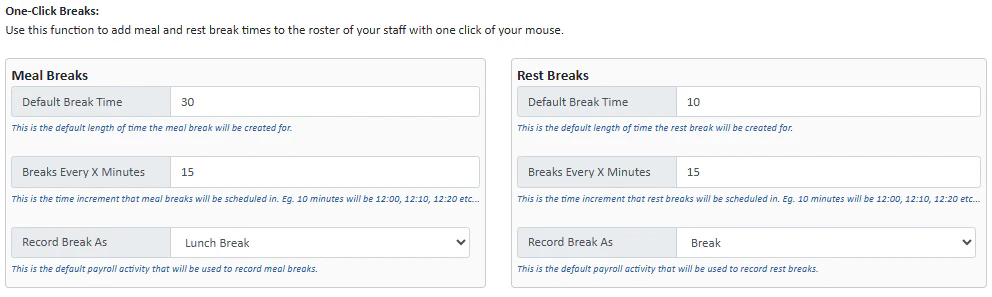 One click breaks are an easy way for you to add meal and rest break times to the roster of your staff.
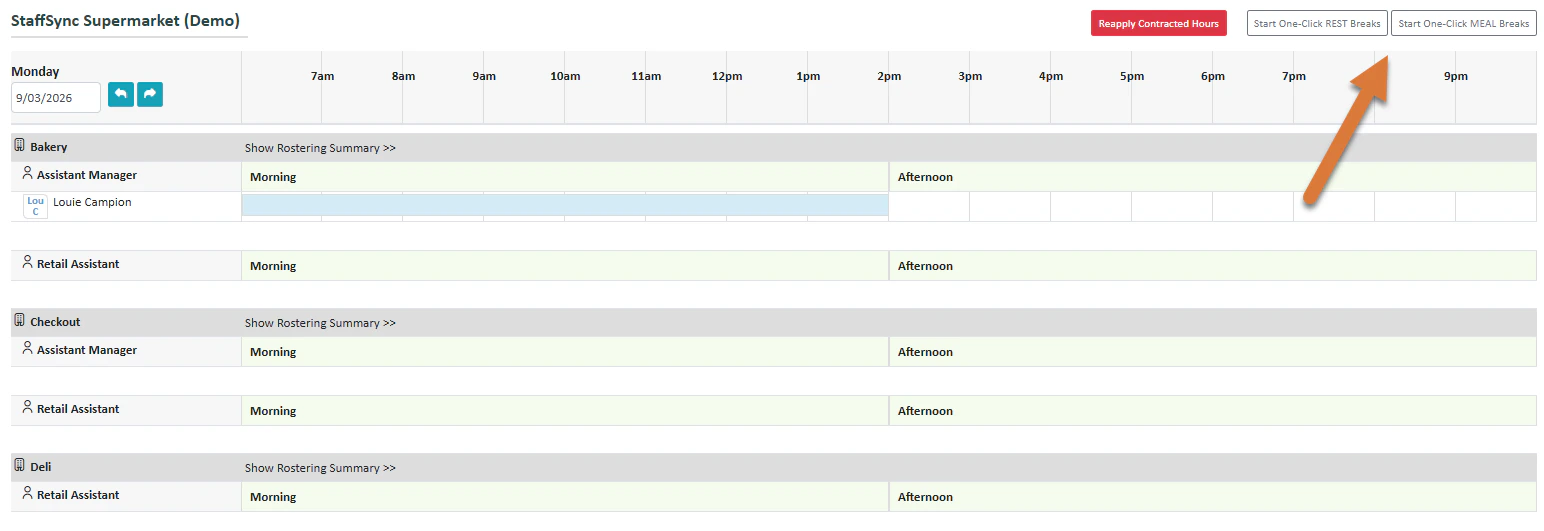 To apply a one-click break, press **Start One-Click REST Breaks or MEAL Breaks**.
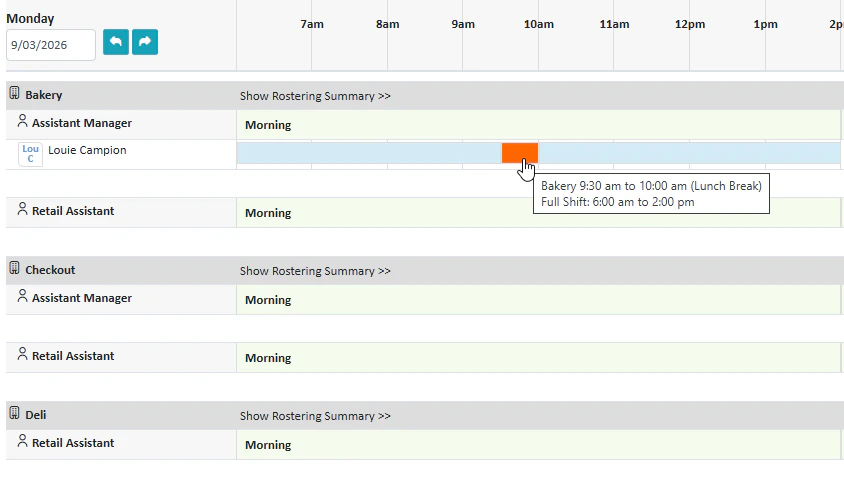 You will enter One-Click Break mode and will be able to select a time during the shift(s) to apply a break with the orange box. Press **Stop One-Click Breaks** once you have finished.