> ## Documentation Index
> Fetch the complete documentation index at: https://docs.simplifi.work/llms.txt
> Use this file to discover all available pages before exploring further.
# How to Find an Employee's Profile
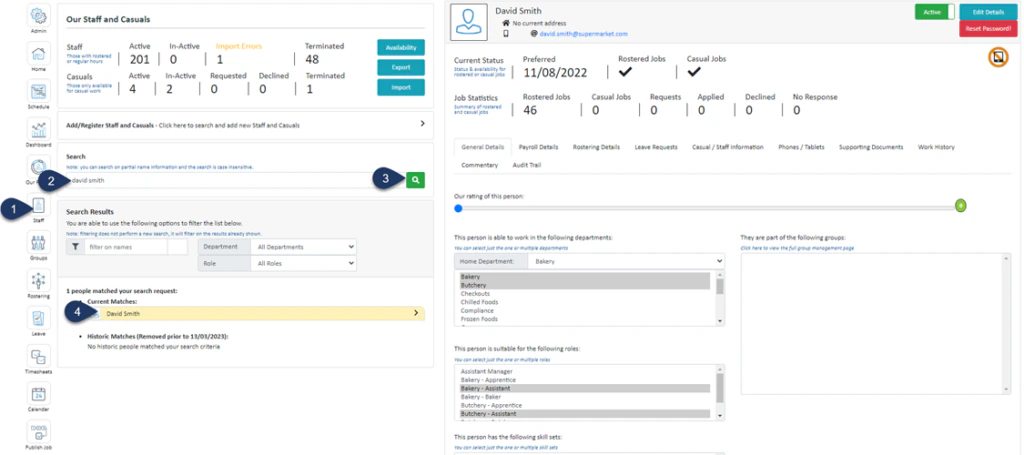 1. Click **Staff** (If you cannot see the ‘**Staff**’ button, then you will need to ask your store administrator to grant you access)
2. Type in the name or partial name of the employee
3. Click the **Search Icon**
4. Select the **Employee**
The employee’s profile will appear on the right-hand side.
1. Click **Staff** (If you cannot see the ‘**Staff**’ button, then you will need to ask your store administrator to grant you access)
2. Type in the name or partial name of the employee
3. Click the **Search Icon**
4. Select the **Employee**
The employee’s profile will appear on the right-hand side.