> ## Documentation Index
> Fetch the complete documentation index at: https://docs.simplifi.work/llms.txt
> Use this file to discover all available pages before exploring further.
# How to Endorse a Leave Request
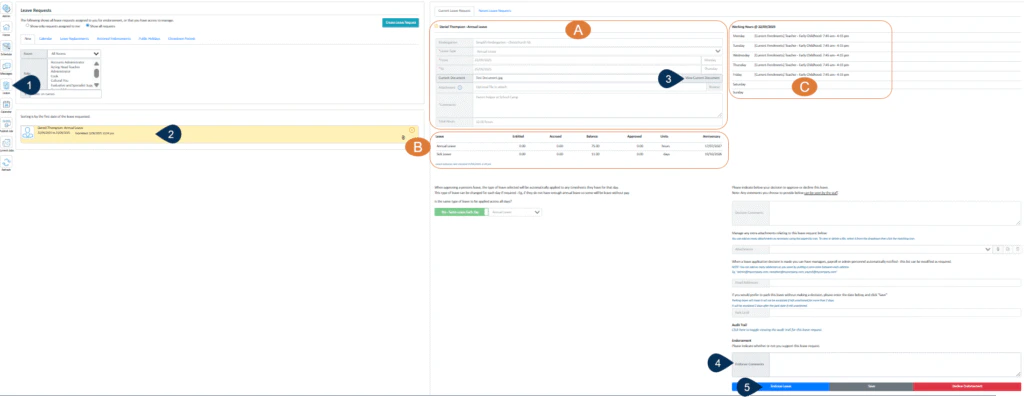 1. Select the **Leave** button.
2. Select the leave request to be viewed.
A. The details of the leave requested will be displayed here.
B. Leave balances will be displayed here.
3. Click here to view any documents attached.
C. The regular contract hours will be displayed here.
4. You may enter an Endorser comment here – this will be visible to the person approving leave.
5. Click on Endorse Leave or Decline Endorsement to record your decision or select save to capture any changes you have made.
1. Select the **Leave** button.
2. Select the leave request to be viewed.
A. The details of the leave requested will be displayed here.
B. Leave balances will be displayed here.
3. Click here to view any documents attached.
C. The regular contract hours will be displayed here.
4. You may enter an Endorser comment here – this will be visible to the person approving leave.
5. Click on Endorse Leave or Decline Endorsement to record your decision or select save to capture any changes you have made.