> ## Documentation Index
> Fetch the complete documentation index at: https://docs.simplifi.work/llms.txt
> Use this file to discover all available pages before exploring further.
# How to Delete a Shift from the Roster
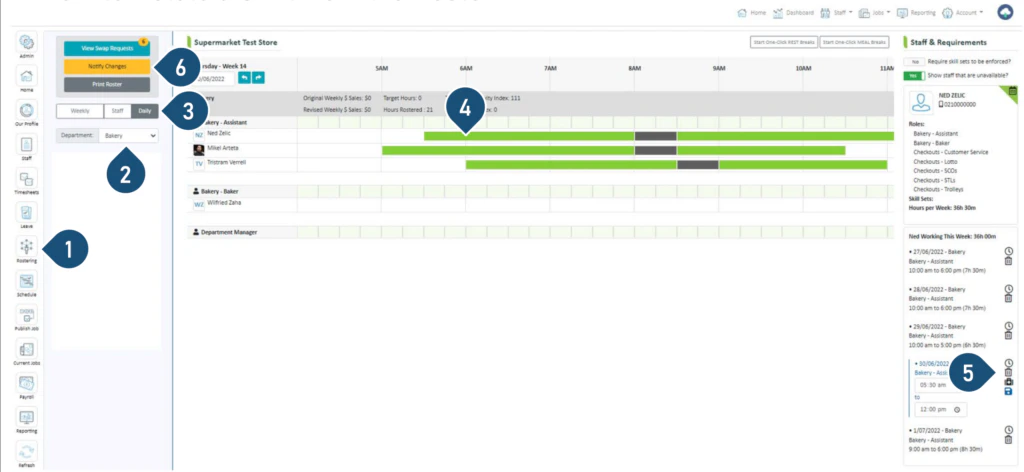 1. Select the **Rostering** button.
2. Select the Department.
3. Select the **Daily** view.
4. Click on the shift you wish to delete.
5. Click on the bin icon to delete the shift.
6. Click on **Notify Changes** – StaffSync will notify the staff who have changes via push notifications on their phones.
1. Select the **Rostering** button.
2. Select the Department.
3. Select the **Daily** view.
4. Click on the shift you wish to delete.
5. Click on the bin icon to delete the shift.
6. Click on **Notify Changes** – StaffSync will notify the staff who have changes via push notifications on their phones.